影刀常用监听 收藏
收藏
评论
收藏影刀常用监听

2024-04-11 16:21·浏览量:3517
克林
作者:克林
背景
简单介绍下影刀监听的几种方式。
一、影刀指令监听
路径:影刀指令-监听网页请求
支持监听平台:web端
优点:集成在影刀,编写方便,不需要写代码,不需要配置环境
缺点:其他端抓不到,偶尔有些网页监听为空。
二、影刀+fiddler
路径:影刀指令执行自动化操作+软件抓包
支持监听平台:web端、pc、小程序、手机
优点:支持任意端的监听,可与影刀配合使用
缺点:要安装证书和下载软件。
用法:先用影刀写操作,抓包的过程中编写fiddler script脚本去保存请求结果为txt,再用影刀去处理txt。
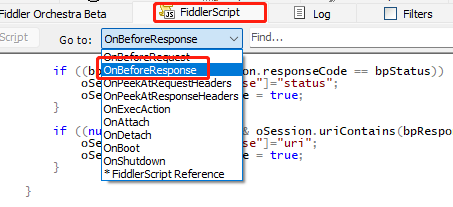
在这地方写上这个
static function OnBeforeResponse(oSession: Session) {if (m_Hide304s && oSession.responseCode == 304) {oSession["ui-hide"] = "true";}if (oSession.fullUrl.Contains("你要监听的url路径,包含关系")) {oSession.utilDecodeResponse(); //消除保存的请求可能存在乱码的情况var fso, file;fso = new ActiveXObject("Scripting.FileSystemObject");// 获取当前时间戳var timestamp = new Date().getTime();// 文件保存路径var filePath = "你要保存该请求的文件夹路径" + timestamp + ".txt";file = fso.OpenTextFile(filePath, 8, true, true);file.Write(oSession.GetResponseBodyAsString());file.Close();}}
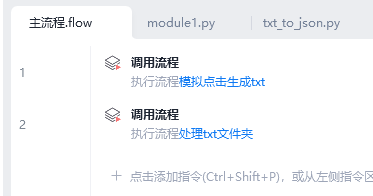
影刀流程:第一步是影刀操作,第二步是操作完后fiddler生成了对应的响应结果,去处理就好。
三、影刀+playwright
路径:影刀指令执行自动化操作+playwright抓包
支持监听平台:web端
优点:安装python库即可,不需要安装软件
缺点:要设置接管浏览器,不需要安装软件,且要运行挂一个监听服务。
用法:打开网页时指定端口,playwright接管该端口。
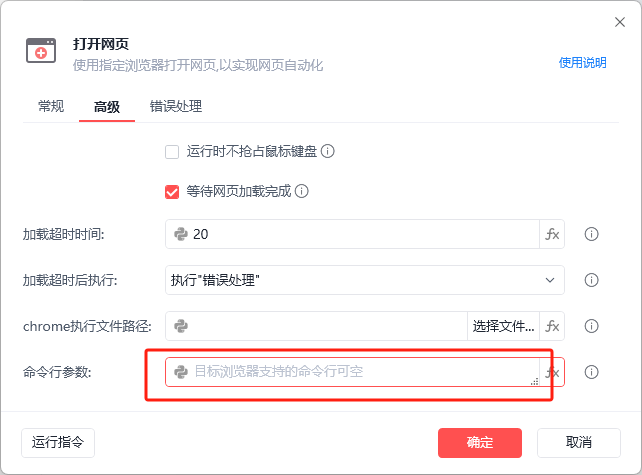
填入chrome --remote-debugging-port=9222
python那,编写
from playwright.sync_api import sync_playwright


CDP = 'http://localhost:9222'


def func(route, request):
    # if request.url == 'xxxxx':
    print("headers", request.headers)
    print(request.url)
    route.continue_()


def run():
    with sync_playwright() as pw:
        browser = pw.chromium.connect_over_cdp(CDP)
        context = browser.contexts[0]
        page = context.pages[0]
        print(page.title())
        page.route("https:**", func)
        page.reload()


if __name__ == '__main__':
    run()
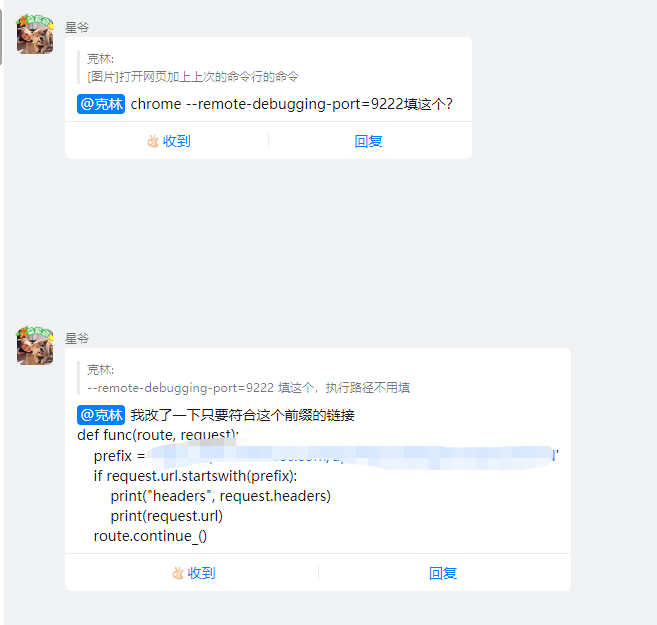
结果:
收藏13全部评论(1)
最新
发布评论
评论


