NO.008-飞书群机器人发送文件消息——By.杭州组 收藏
收藏
评论
收藏NO.008-飞书群机器人发送文件消息——By.杭州组
启
2023-04-12 14:24·浏览量:12271
启
启航
作者:启航
关键词:飞书,发送文件
一.问题背景
问题:
客户侧通过影刀自动处理退款信息表格之后,需要把处理好的表格文件发送到协同部门的群内,客户侧之前是手动发送文件,不是特别智能化,就想自动化把整个步骤都实现了
解法:
通过python调用飞书开放的api接口实现
二.解决思路
1.飞书开发者后台创建应用
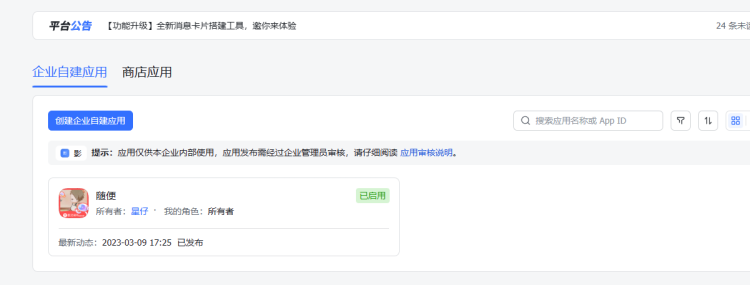
2.飞书开放平台添加机器人
https://open.feishu.cn/app/cli_a23a93b963fa1013/capability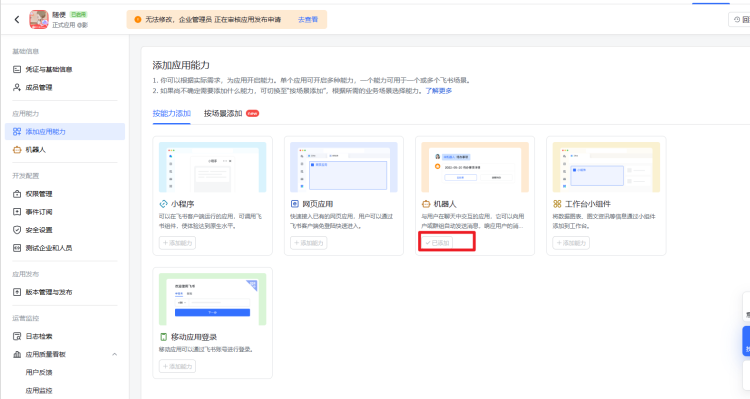
3.开通权限
https://open.feishu.cn/app/cli_a23a93b963fa1013/auth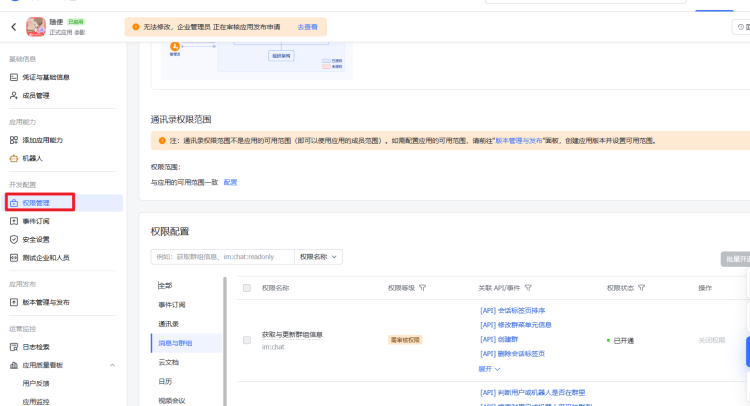
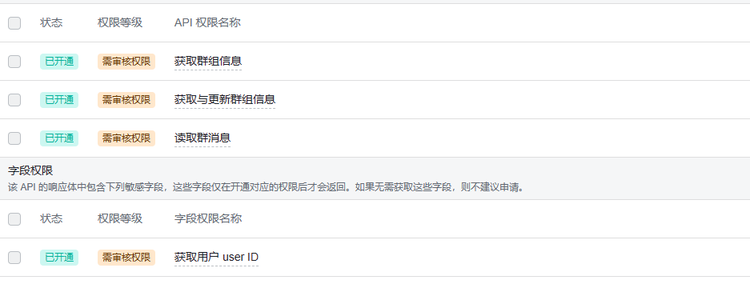
需要开通以下权限


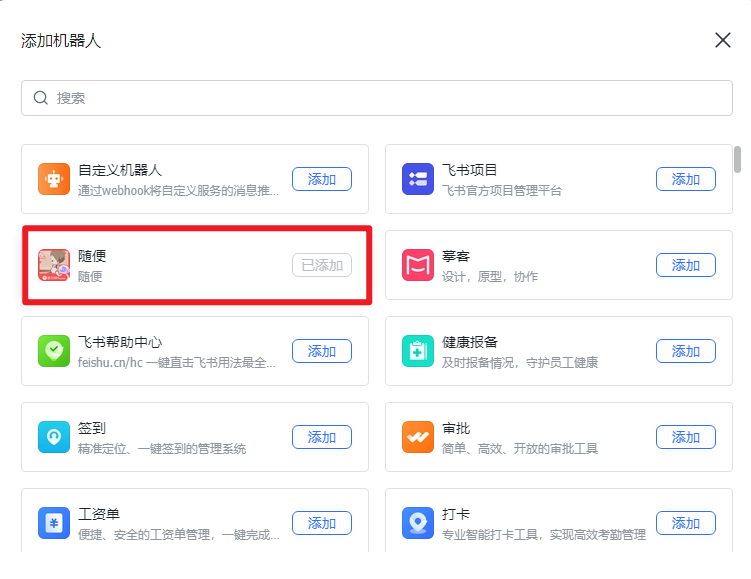
4.飞书群里添加群机器人
添加创建的群机器人
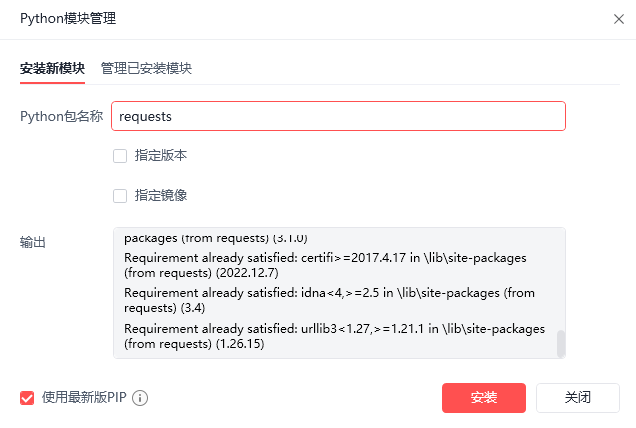
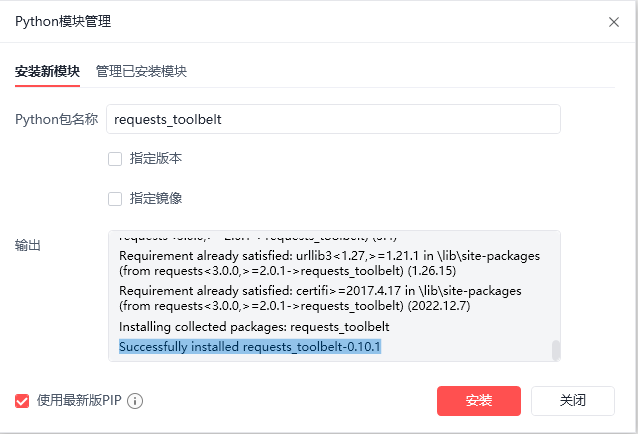
5.安装requests包和requests_toolbelt包
安装requests_toolbelt包的时候会报错,但是包已经安装上了不影响使用
6.获取tenant_access_token
def get_token(app_id,app_secret):
    url = 'https://open.feishu.cn/open-apis/auth/v3/tenant_access_token/internal'
    data = {
        "Content-Type":"application/json; charset=utf-8",
        "app_id": app_id,
        "app_secret": app_secret
    }
    response = requests.request("POST", url, data=data)
    return json.loads(response.text)['tenant_access_token']
7.获取 chat_id
https://open.feishu.cn/document/uAjLw4CM/ukTMukTMukTM/reference/im-v1/chat/list
def get_chat_id(app_id,app_secret):
    url = "https://open.feishu.cn/open-apis/im/v1/chats?page_size=20"
    payload = ''
    tenant_access_token = get_token(app_id,app_secret)
    Authorization = 'Bearer ' + tenant_access_token
    headers = {
    'Authorization': Authorization
    }
    response = requests.request("GET", url, headers=headers, data=payload)
    return json.loads(response.text)['data']['items'][0]['chat_id']
8.上传文件获取文件路径
https://open.feishu.cn/document/uAjLw4CM/ukTMukTMukTM/reference/im-v1/file/create
# 获取文件二进制路径
# file_type 文件类型 file_name 文件名称+后缀名  file_path 本地文件路径
# type_file 类型 参考 https://www.w3school.com.cn/media/media_mimeref.asp
def get_filepath(file_type,file_name,file_path,app_id,app_secret,type_file):
  url = "https://open.feishu.cn/open-apis/im/v1/files"
  form = {'file_type': file_type,
          'file_name': file_name,
          'file':  (file_name, open(file_path,'rb'), type_file)}
  multi_form = MultipartEncoder(form)
  tenant_access_token = get_token(app_id,app_secret)
  Authorization = 'Bearer ' + tenant_access_token
  headers = {
    'Authorization': Authorization
  }
  headers['Content-Type'] = multi_form.content_type
  response = requests.request("POST", url, headers=headers, data=multi_form)
  return json.loads(response.content)['data']['file_key']
9.发送消息
https://open.feishu.cn/document/uAjLw4CM/ukTMukTMukTM/im-v1/message/create_json#c92e6d46
# 发送文件
def send(file_type,file_name,file_path,app_id,app_secret,type_file):
    url = "https://open.feishu.cn/open-apis/im/v1/messages"
    params = {"receive_id_type":"chat_id"}
    msg = "file"
    msgContent = {
        "file": msg,
    }
    receive_id = get_chat_id(app_id,app_secret)
    file_path = get_filepath(file_type,file_name,file_path,app_id,app_secret,type_file)
    file_key = json.dumps({"file_key":file_path})
    req = {
        "receive_id": receive_id,
        "msg_type": "file",
        "content":file_key
    }
    payload = json.dumps(req)
    tenant_access_token = get_token(app_id,app_secret)
    Authorization = 'Bearer ' + tenant_access_token
    headers = {
        'Authorization': Authorization,
        'Content-Type': 'application/json'
    }
    response = requests.request("POST", url, params=params, headers=headers, data=payload)
三.全部代码
import json
import requests
from requests_toolbelt import MultipartEncoder

# 获取 tenant_access_token
def get_token(app_id,app_secret):
    url = 'https://open.feishu.cn/open-apis/auth/v3/tenant_access_token/internal'
    data = {
        "Content-Type":"application/json; charset=utf-8",
        "app_id": app_id,
        "app_secret": app_secret
    }
    response = requests.request("POST", url, data=data)
    return json.loads(response.text)['tenant_access_token']

# 获取  receive_id
def get_chat_id(app_id,app_secret):
    url = "https://open.feishu.cn/open-apis/im/v1/chats?page_size=20"
    payload = ''
    tenant_access_token = get_token(app_id,app_secret)
    Authorization = 'Bearer ' + tenant_access_token
    headers = {
    'Authorization': Authorization
    }
    response = requests.request("GET", url, headers=headers, data=payload)
    return json.loads(response.text)['data']['items'][0]['chat_id']

# 获取文件二进制路径
# file_type 文件类型 file_name 文件名称+后缀名  file_path 本地文件路径
# type_file 类型 参考 https://www.w3school.com.cn/media/media_mimeref.asp
def get_filepath(file_type,file_name,file_path,app_id,app_secret,type_file):
  url = "https://open.feishu.cn/open-apis/im/v1/files"
  form = {'file_type': file_type,
          'file_name': file_name,
          'file':  (file_name, open(file_path,'rb'), type_file)}
  multi_form = MultipartEncoder(form)
  tenant_access_token = get_token(app_id,app_secret)
  Authorization = 'Bearer ' + tenant_access_token
  headers = {
    'Authorization': Authorization
  }
  headers['Content-Type'] = multi_form.content_type
  response = requests.request("POST", url, headers=headers, data=multi_form)
  return json.loads(response.content)['data']['file_key']

# 发送文件
def send(file_type,file_name,file_path,app_id,app_secret,type_file):
    url = "https://open.feishu.cn/open-apis/im/v1/messages"
    params = {"receive_id_type":"chat_id"}
    msg = "file"
    msgContent = {
        "file": msg,
    }
    receive_id = get_chat_id(app_id,app_secret)
    file_path = get_filepath(file_type,file_name,file_path,app_id,app_secret,type_file)
    file_key = json.dumps({"file_key":file_path})
    req = {
        "receive_id": receive_id,
        "msg_type": "file",
        "content":file_key
    }
    payload = json.dumps(req)
    tenant_access_token = get_token(app_id,app_secret)
    Authorization = 'Bearer ' + tenant_access_token
    headers = {
        'Authorization': Authorization,
        'Content-Type': 'application/json'
    }
    response = requests.request("POST", url, params=params, headers=headers, data=payload)
四.调用
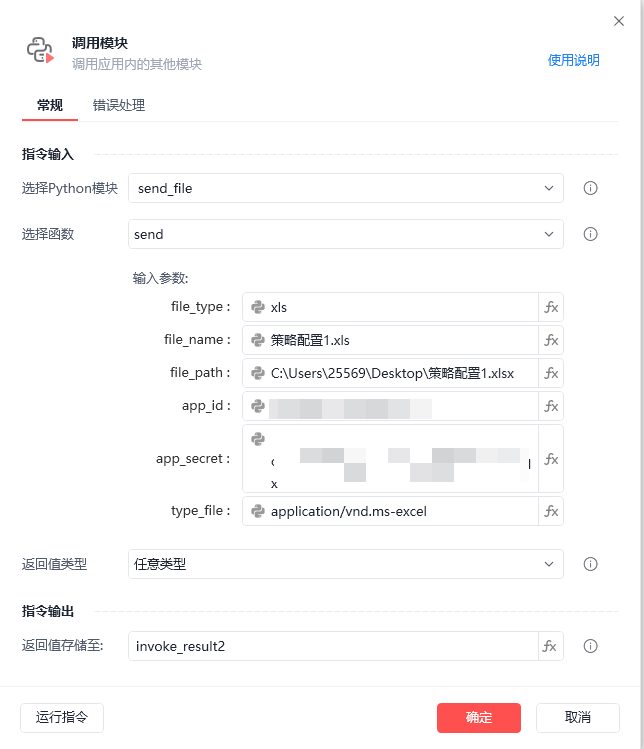
- file_type:文件类型
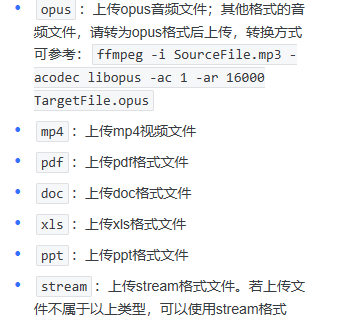
- file_name:带后缀名的文件名
- file_path:本地文件的路径
- app_id:应用id
- app_secret:应用秘钥
- type_file:Mime 类型 https://www.w3school.com.cn/media/media_mimeref.asp
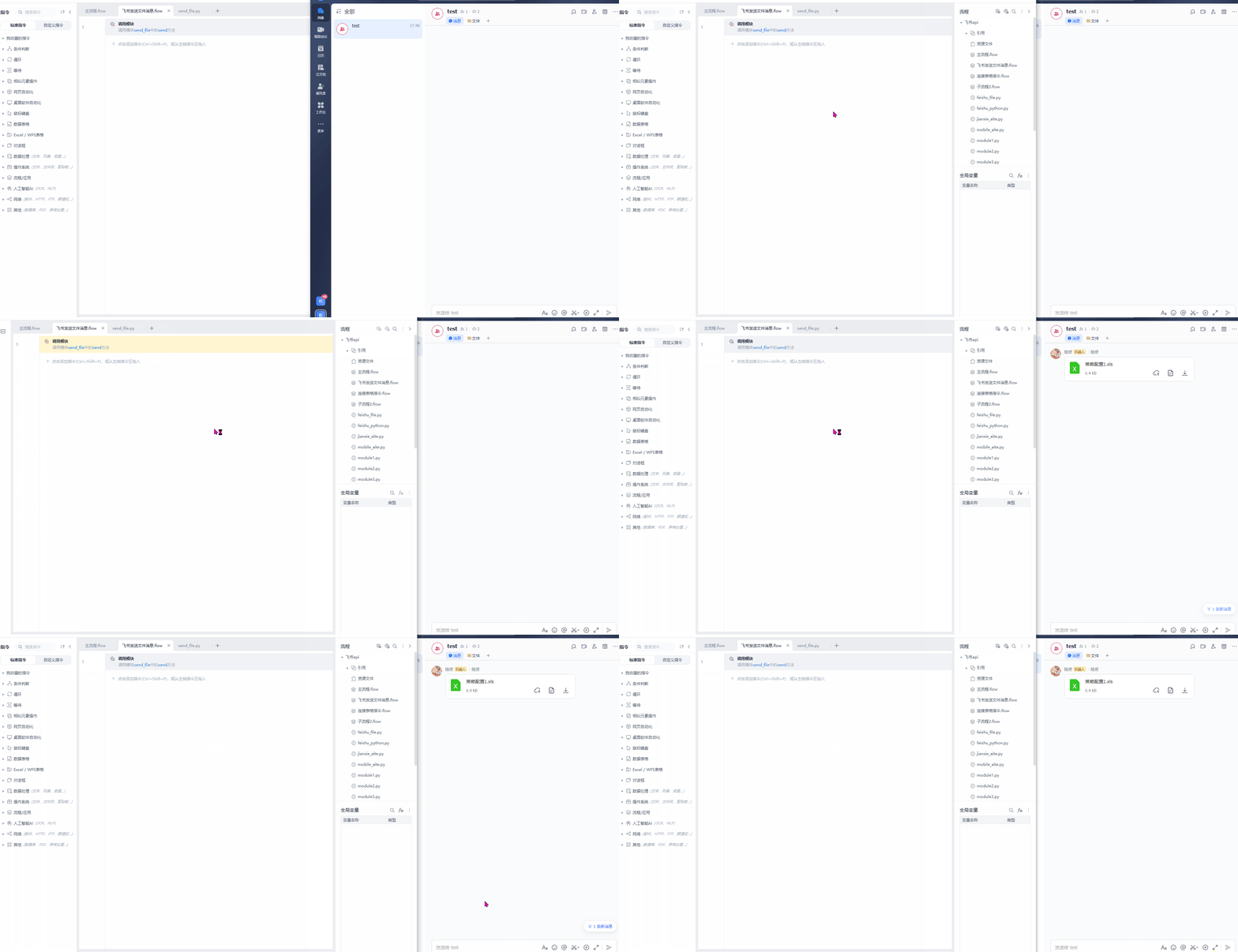
五.效果展示
收藏16全部评论(1)
最新
发布评论
评论


