 收藏
收藏在WORD里更改加粗文字颜色
源码:
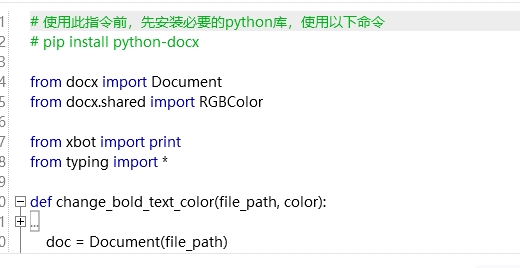
# 使用此指令前,先安装必要的python库,使用以下命令
# pip install python-docx
from docx import Document
from docx.shared import RGBColor
from xbot importprint
from typing import *
defchange_bold_text_color(file_path, color):
"""
title: 更改WORD里加粗文字的颜色
description: 将WORD文档中所有加粗的文字的颜色更改为指定的颜色
inputs:
- file_path (file): WORD文档的文件路径,eg: "path/to/file.docx"
- color (str): 需要设置的颜色,支持RGB颜色值或预定义的颜色名称,eg: "FF0000"表示红色
outputs:
- None
"""
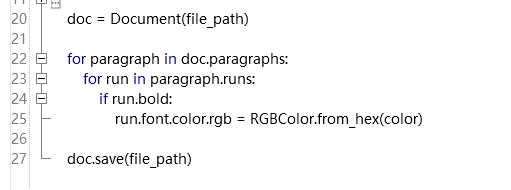
doc = Document(file_path)
for paragraph in doc.paragraphs:
for run in paragraph.runs:
if run.bold:
run.font.color.rgb = RGBColor.from_hex(color)
doc.save(file_path)
# 使用示例
change_bold_text_color('path/to/your/file.docx', 'FF0000') # 将加粗文本颜色设置为红色
运行错误,提示 Package not found at 'path/to/your/file.docx' 找不到文件
但文件能够打开,不知道问题出在哪里,求大佬提点

尝试过影刀直接生成的指令:
运行失败后提示:"OfficeDocument" 没有 "seek" 属性或方法
都处在路径的问题,百思不得其解……
收藏


