 收藏
收藏No.091-微信消息推送的几种方式
关键词:微信、消息推送
作者:昼夜
一、问题背景
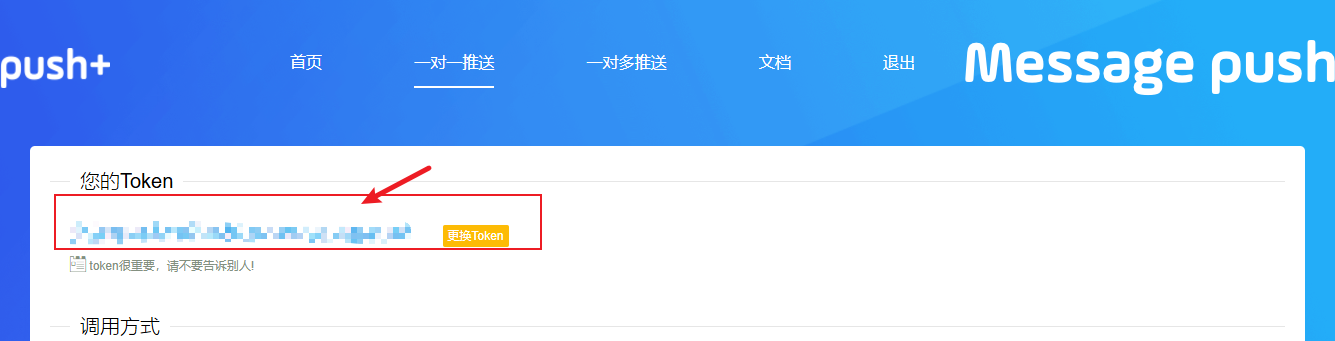
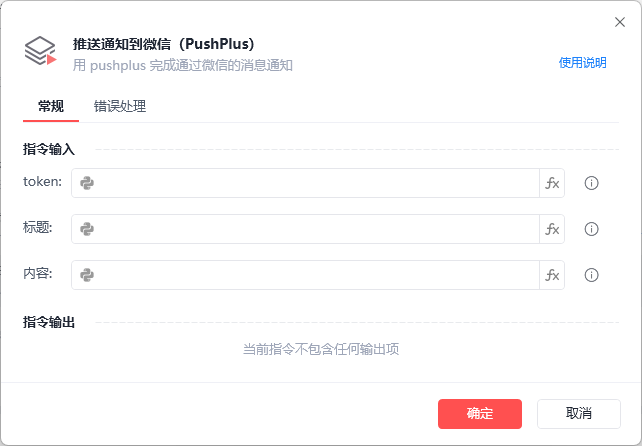
微信作为当下应用最为广泛的社交软件,不仅可以运用在交友方面,在实际的业务当中也是有比较多的使用,比如像跨境业务中三方物流的对接,有些跨部门的工作也会用到微信对接等。如果要在这些业务中加入RPA流程的话,有一个比较重要的点就是如何将消息(应用状态消息、业务消息等)通过RPA的方式来传递到微信中。本文会介绍一些可以实现微信消息通知功能的小插件,相对于直接用影刀操作微信异常的概率会小一些。
2.WxPusher
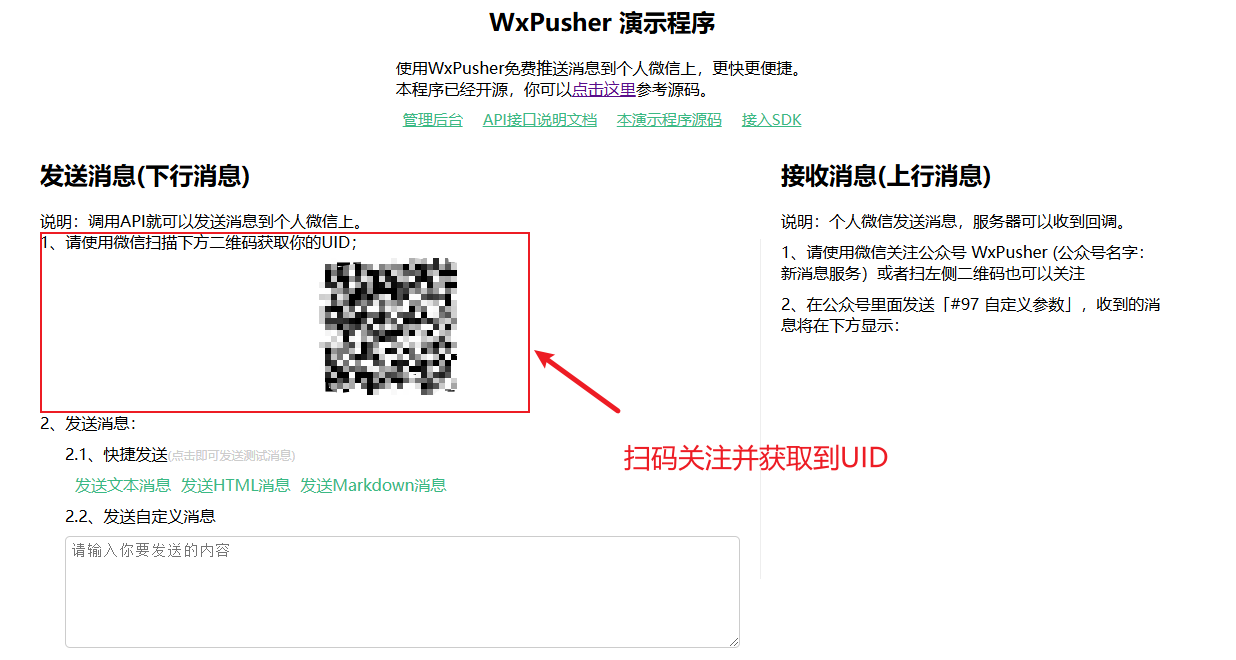
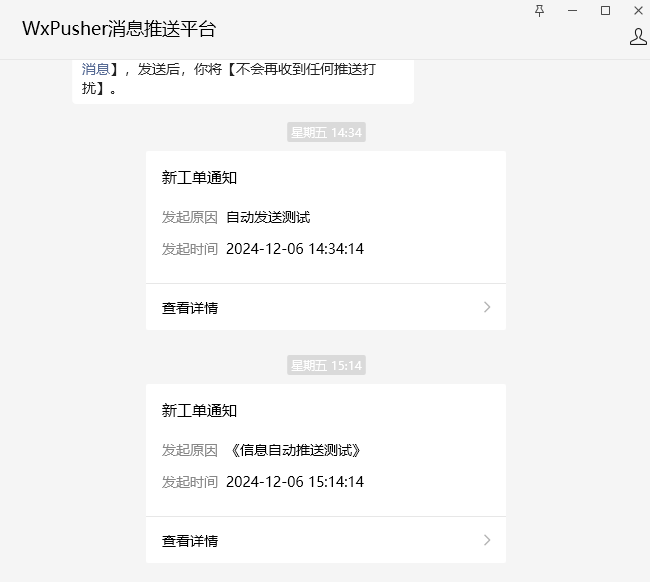
WxPusher是一个使用微信公众号作为通道的,实时信息推送平台,你可以通过调用API的方式,把信息推送到微信上,无需安装额外的软件,即可做到信息实时通知。跟PushPlus推送方式一样,WxPusher也是通过微信公众号作为通道来完成。功能上,WxPusher和上一个一样,既可以实现一对一推送,也可以实现一对多推送,但是与PushPlus不同的是,WxPusher在一开始创建应用的时候便会生成二维码,需要对应接收消息的人员都扫描二维码进行关注才能进行转发,关注之后每个用户都会产生一个UID,我们可以根据UID来实现不同消息的人群分类发送。Wxpusher可以通过API的形式接入到影刀当中。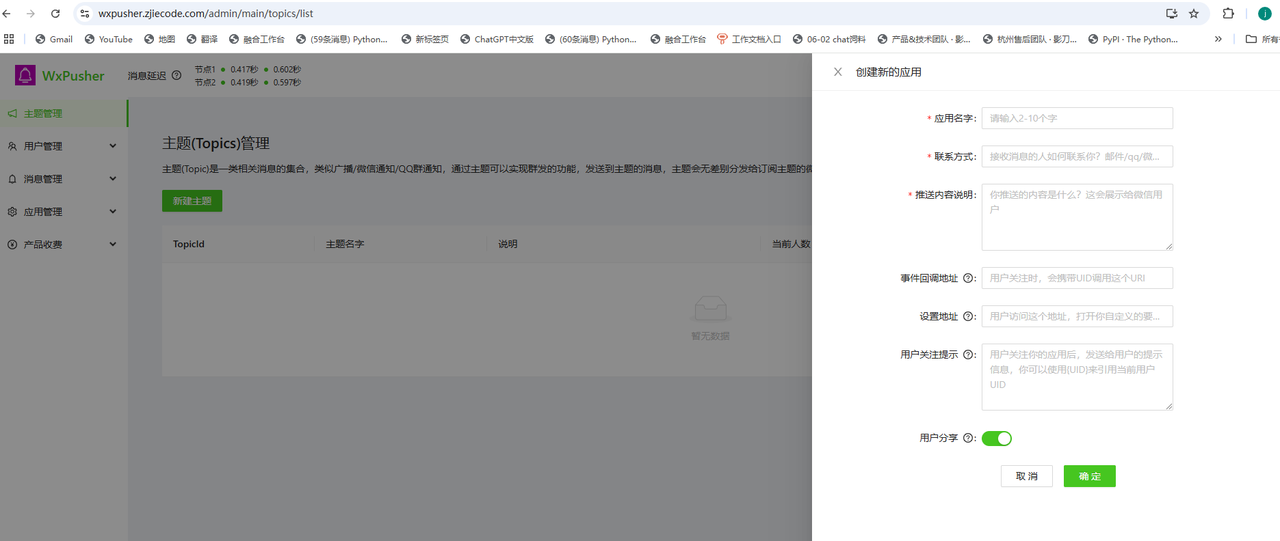
def get_all_user_ids(token):
    url = "https://wxpusher.zjiecode.com/api/fun/wxuser/v2"
    data = {
        "appToken": token,
        "page": 1, # 查找第1页上的用户id
        "pageSize": 30, # 返回用户id的数量
        "type": 0
    }
    res = requests.get(url=url, params=data)

    return res.json()

def wxpusher_send_message(token, msg, title, uids):
    url = "https://wxpusher.zjiecode.com/api/send/message"

    header = {
        "Content-Type": "application/json"
    }

    data = {
        "appToken": token,
        "content": msg,
        "summary": title,
        "contentType": 1, # 1代表发送文字消息
        "uids": uids, # 这里的uids需要是一个数组列表
    }
    res = requests.post(url=url, headers=header, json=data)

    return res.json()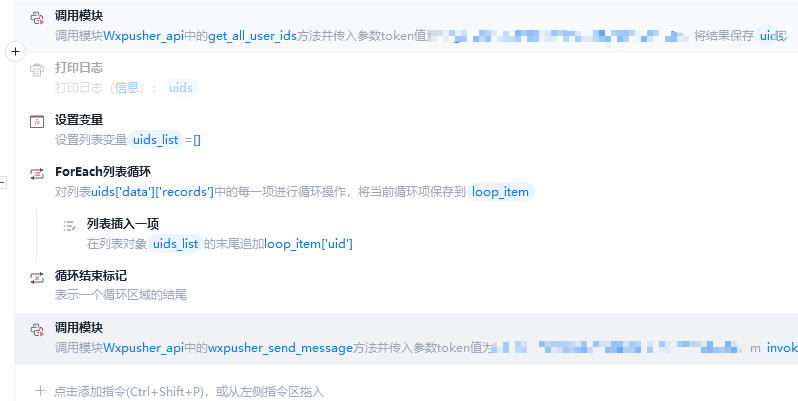
3.微加机器人(付费)
相较于前两个免费的方式,这个微加机器人的功能则强大许多。微加机器人(访问码:0531)是一个微信消息辅助平台,可以通过接口主动的让微信下发消息,还具有维护微信群等复杂的功能,可以实现我们给好友或者群组发送消息的场景。使用之前需要先购买专业版的机器码(专业版能够发送消息给好友和群组,个人版只能发送个人),通过软件激活绑定微信之后即可通过API的方式进行使用。
发送消息给指定的好友:先通过获取好友列表接口获取到好友的微信id(wx_....),然后通过消息发送接口并指定需要发送好友的id即可进行发送。
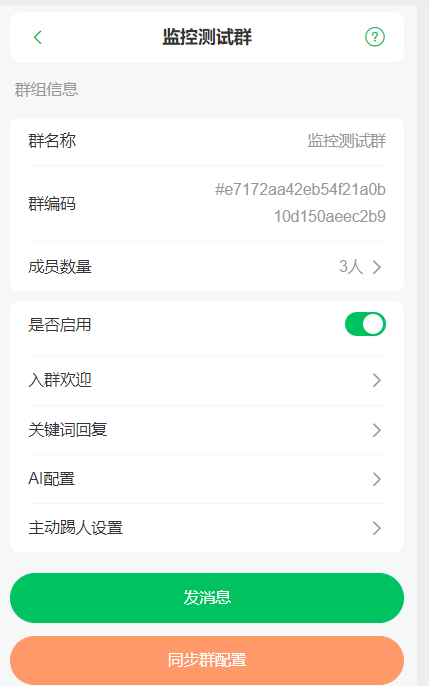
发送消息给指定的群组:首先我们需要在微加控制台中启用该群组,启用后会生成群组专属的群编码,然后通过消息发送接口,填入指定群组的编码后即可进行发送,也可以在群组中根据微信id来艾特对应的人员。
import requests
import json
# 获取设备在线/离线状态
def get_status(token, wxid):
    url = f"https://www.weplusbot.com/pro/api/loginStatus?token={token}&wxid={wxid}"

    payload={}
    headers = {}

    response = requests.request("GET", url, headers=headers, data=payload)

    print(response.text)
    return response.json()

# 获取Token
def get_accesskey(token, secertkey):
    url = "https://www.weplusbot.com/pro/api/getAccessKey"

    payload = json.dumps({
    "token": token,
    "secretKey": secertkey
    })
    headers = {
    'Content-Type': 'application/json'
    }

    response = requests.request("POST", url, headers=headers, data=payload)

    print(response.text)
    return response.json()

# 获取已启用的群组编号
def get_live_group(access_key):
    url = "https://www.weplusbot.com/pro/open/room/enableRoomList"

    payload={}
    headers = {
    'access-key': access_key
    }

    response = requests.request("GET", url, headers=headers, data=payload)

    print(response.text)
    return response.json()

import time
def sent_message2group(content, token, receiver:None, aters:None):
    url = "https://www.weplusbot.com/send"

    payload = json.dumps({
        "content": content,
        "template": "",
        "timestamp": "",
        "token": token,
        "receiver": receiver,
        "aters": aters
    })
    headers = {
        'Content-Type': 'application/json'
    }

    response = requests.request("POST", url, headers=headers, data=payload)

    return response.json()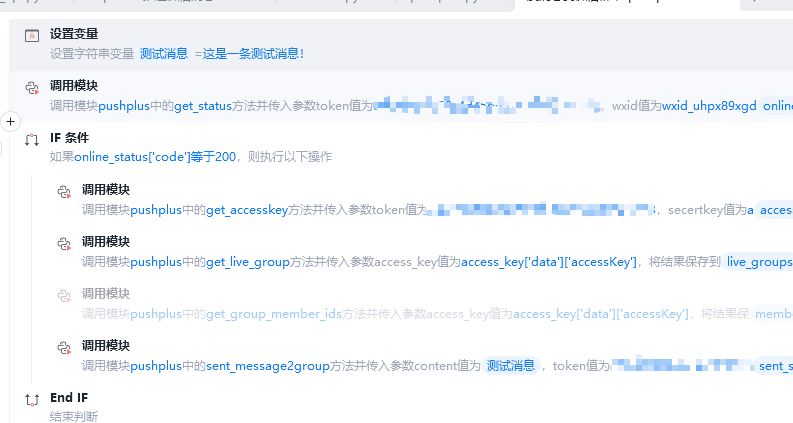
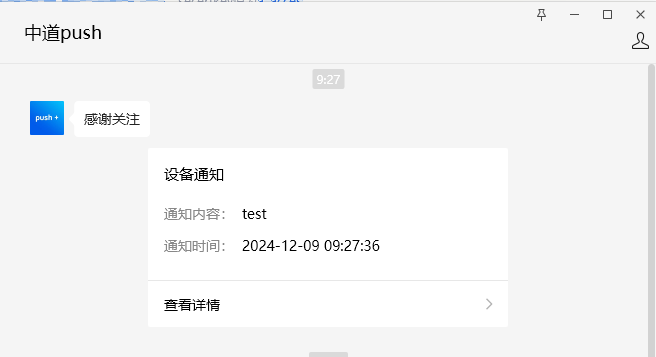
三、效果展示
1.PushPlus
2.Wxpusher
3.微加机器人
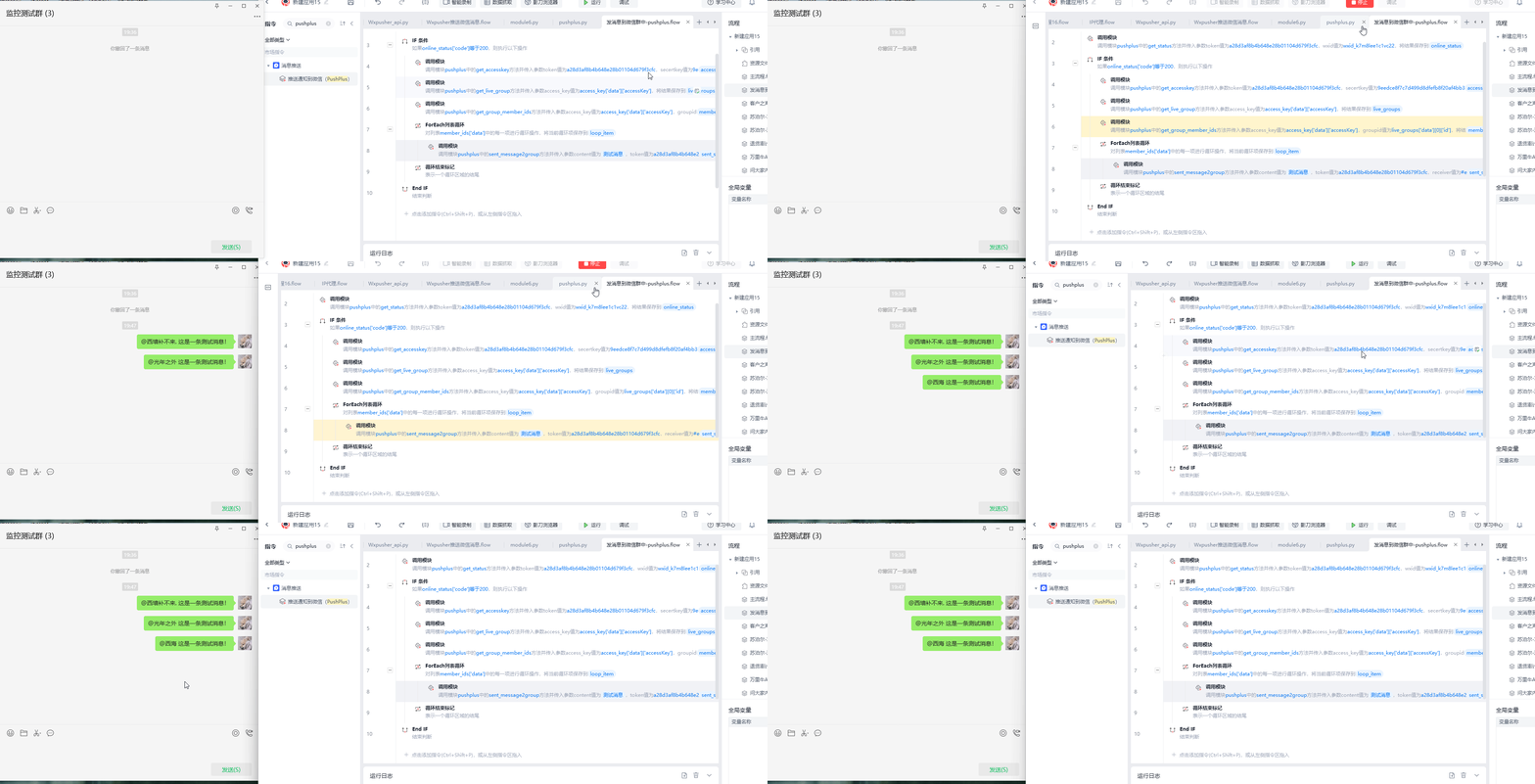
四、其他事项
可以根据不同的场景去选择不同的工具,如果对于推送消息要求没有那么高的,PushPlus是不错的选择,直接可以一键使用;如果是有指定发送要求的,可以选择后面两者。
收藏2


