【即是过客】日常分享004 之 滑块物体遮挡验证流程 收藏
收藏
评论
收藏【即是过客】日常分享004 之 滑块物体遮挡验证流程

即是过客
2025-07-12 08:41·浏览量:1113即是过客
 影刀专家
影刀专家 影刀认证工程师发布于 2025-06-21 12:43更新于 2025-07-12 08:411113浏览
友情提示:流程使用云码接口,可在云码-自动验证码识别平台_验证码识别API接口_免费验证码软件申请,使用token即可,此类验证码接口0.01元/次,识别失败不扣费(是接口识别图片正确位置失败不扣费,不是验证失败),注册后可以白嫖300积分
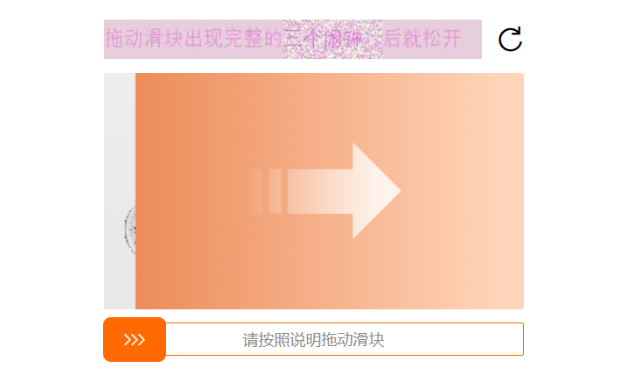
验证码类型:
实现思路:
拖动滑块展开,获取完整图片,利用云码20226接口识别返回坐标,拖动滑块到指定位置松开
流程代码:(不保证元素定位通用,找不到元素的修改元素定位即可)
Python代码:
# 使用提醒:
# 1. xbot包提供软件自动化、数据表格、Excel、日志、AI等功能
# 2. package包提供访问当前应用数据的功能,如获取元素、访问全局变量、获取资源文件等功能
# 3. 当此模块作为流程独立运行时执行main函数
# 4. 可视化流程中可以通过"调用模块"的指令使用此模块

import xbot
from xbot import print, sleep
from .import package
from .package import variables as glv
import base64
import requests
import json
from ctypes import windll
from PIL import Image


def get_len(path, token, type):
    """
    获取需要识别物体与初始位置的距离
    滑块遮挡物体type:20226
    """
    url = "http://api.jfbym.com/api/YmServer/customApi"
    with open(path,'rb') as f:
        im = base64.b64encode(f.read()).decode()

    data = {
        'token': token,
        'type': type,
        'image':im,
    }

    _headers = {
        'Content-Type': 'application/json'
    }

    response = requests.request("POST", url, headers=_headers, json=data)
    result = response.json()
    return result


def get_ppi():
    """
    获取屏幕的缩放
    """
    LOGPIXELSX = 88
    LOGPIXELSY = 90
    user32 = windll.user32
    user32.SetProcessDPIAware()
    dc = user32.GetDC(0)
    pix_per_inch = windll.gdi32.GetDeviceCaps(dc, LOGPIXELSX)
    user32.ReleaseDC(0, dc)
    res = float.as_integer_ratio(round(pix_per_inch / 96,2))
    return res[1]/res[0]


def resize_image(input_image_path, output_image_path, target_size):
    """
    调整图片格式大小
    target_size:需要设置成640
    """
    image = Image.open(input_image_path)

    # 计算调整后的宽度和高度
    width, height = image.size
    target_size = int(target_size)
    if width > height:
        new_width = target_size
        new_height = int(height * target_size / width)
    else:
        new_width = int(width * target_size / height)
        new_height = target_size

    # 调整图片大小
    resized_image = image.resize((new_width, new_height))

    # 保存调整后的图片
    resized_image.save(output_image_path)


def base64_api(uname, pwd, img, typeid):

    with open(img, 'rb') as f:
        base64_data = base64.b64encode(f.read())
        b64 = base64_data.decode()
    data = {"username": uname, "password": pwd, "typeid": typeid, "image": b64}
    result = json.loads(requests.post("http://api.ttshitu.com/predict", json=data).text)
    if result['success']:
        return result["data"]["result"]
    else:
        return result["message"]
    return ""
注意事项:
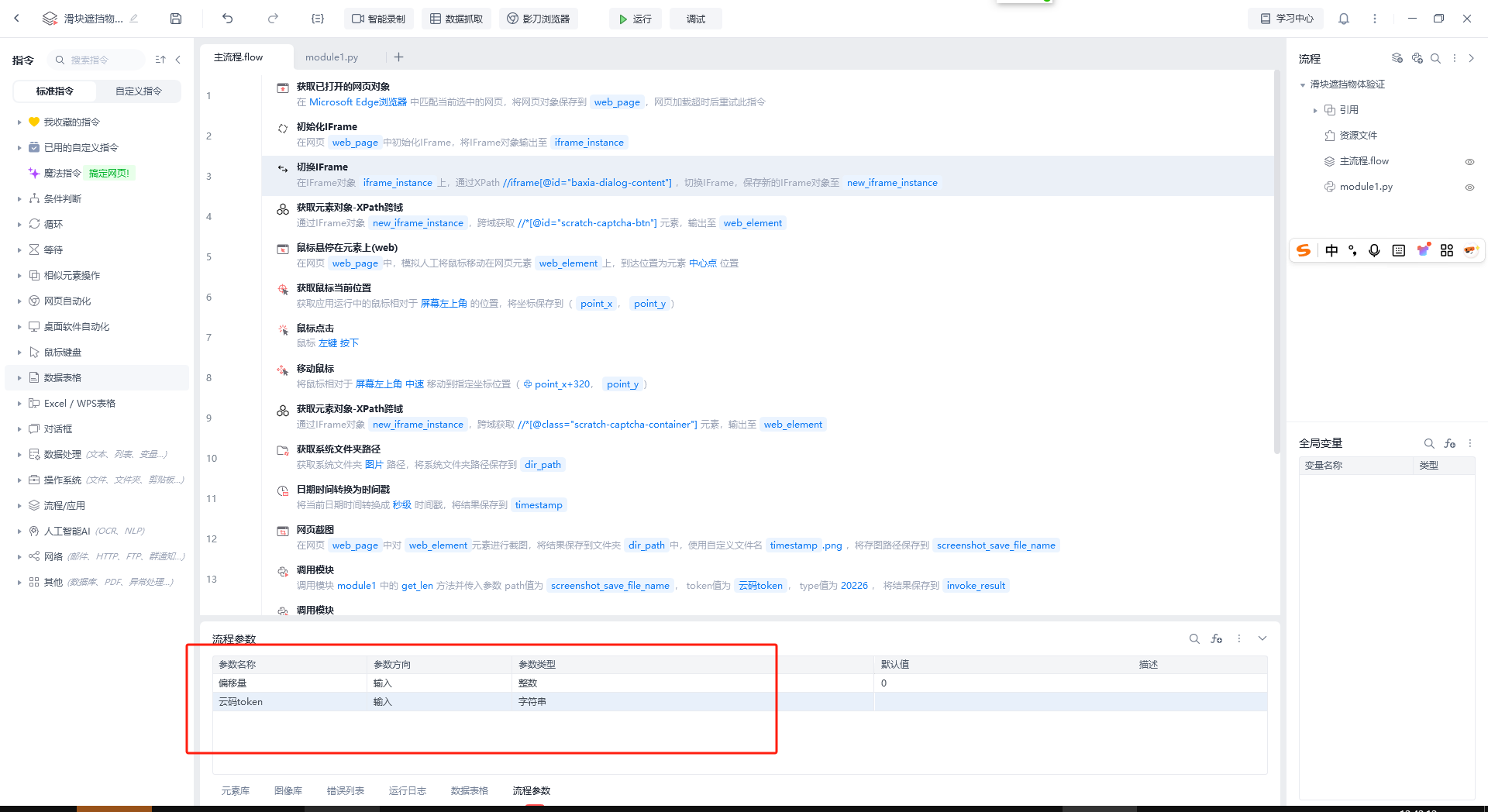
- 配置流程参数:偏移量(输入)[整数]、云码token(输入)[字符串]
- 拖动位置不对的调整偏移量即可
收藏14全部评论(1)
最新
发布评论
评论


