影刀RPA|如何利用api调用扣子智能体和工作流,源码分享~ 收藏
收藏
评论
收藏影刀RPA|如何利用api调用扣子智能体和工作流,源码分享~

小可耐教你学影刀RPA【哔哩哔哩同名】
2025-06-27 13:55·浏览量:1825小可耐教你学影刀RPA【哔哩哔哩同名】
 影刀高级开发者发布于 2025-06-27 13:551825浏览
昨天我遇到了一个问题,
由于我不熟悉扣子的api,我就找群里的小伙伴分享和交流,
不得不说,群里的小伙伴还是给力的,
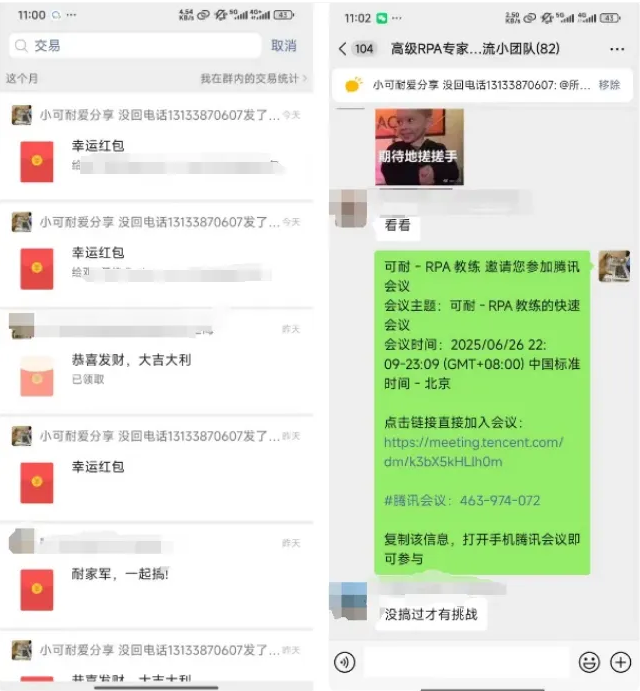
在我们的群里,每当有小伙伴提出问题时,通常都会附带发送一个小红包。虽然金额不需要很大,但至少几块钱是应该有的。这样的做法不仅能够增加群内的互动乐趣,更重要的是它体现了对知识以及分享知识者的一种尊重态度。
通过这种方式,我们鼓励了更多有益的信息交流与分享,同时也让提供帮助的人感到自己的付出得到了认可。希望大家都能继续保持这个好习惯,共同营造一个更加积极向上的学习氛围。
现在问题已经解决,我就分享一下api代码吧~~~
智能体api
# 使用提醒:
# 1. xbot包提供软件自动化、数据表格、Excel、日志、AI等功能
# 2. package包提供访问当前应用数据的功能,如获取元素、访问全局变量、获取资源文件等功能
# 3. 当此模块作为流程独立运行时执行main函数
# 4. 可视化流程中可以通过"调用模块"的指令使用此模块

import xbot
from xbot import print, sleep
from .import package
from .package import variables as glv
import requests
import requests
import json,time

api_key = "pat_4UyG0JPjPlPKtVJLVlqDSWThb0MGJl1DOaVCODirx"

botid = "7520105"
baseUrl =  'https://api.coze.cn/v3/chat'
headers = {
    "Authorization": f"Bearer {api_key}",
    'Content-Type': 'application/json'
}

def processQuestionAnswer(response_data):
    if response_data['code']:
        print("应答异常:",response_data['msg'])
    else:
        data = response_data['data']
        count = 0
        for item in data:
            if item['type']=='answer':
                print("大模型应答:",item['content'])
            elif item['type']=='follow_up':
                if count==0:
                    print("您可以参考如下方式提问:")
                print(f"☆ 问题{count+1}:",item['content'])
                count += 1


def getQuesyionAnswer(conversationID,chatID):
    params = { "bot_id": botid,"task_id": chatID }
    getChatStatusUrl = baseUrl+f'/retrieve?conversation_id={conversationID}&chat_id={chatID}&'

    while True:
        response = requests.get(getChatStatusUrl, headers=headers, params=None)
        if response.status_code == 200:
            response_data = response.json()
            print(f"response_data:\n{json.dumps(response_data,indent=4, ensure_ascii=False)}")
            status = response_data['data']['status']
            if status == 'completed':
                # 从响应中提取实际的应答内容
                getChatAnswerUrl = baseUrl+f'/message/list?chat_id={chatID}&conversation_id={conversationID}'
                response = requests.get(getChatAnswerUrl, headers=headers, params=params)
                if response.status_code == 200:
                    response_data = response.json()
                    print("模型返回数据:\n", json.dumps(response_data,indent=4, ensure_ascii=False))
                    processQuestionAnswer(response_data)
                    return True
                break
            else:
                print(f"任务仍在处理中,状态: {status}")
                time.sleep(1)  # 等待5秒后再次检查
        else:
            print(f"请求失败,状态码: {response.status_code}")
            break
    return False

def questionService(questionText):

    # 定义API的URL和授权令牌

    data = {
    "bot_id": botid,
    "user_id": "jiangwp",
    "stream": False,
    "auto_save_history": True,
    "additional_messages": [
        {
            "role": "url",
            "content": questionText,
            "content_type": "text"
        }
        ]
    }

    # 发送POST请求
    print(f"请求信息:{json.dumps(data,indent=4, ensure_ascii=False)}")
    response = requests.post(baseUrl, headers=headers, data=json.dumps(data))

    # 检查响应状态码
    if response.status_code == 200:
        # 解析响应内容
        response_data = response.json()
        print(response_data)
        print("响应内容:", json.dumps(response_data,indent=4, ensure_ascii=False))
        chatid = response_data['data']['id']
        answer = response_data.get("answer")
        conversation_id = response_data['data']['conversation_id']
        print(f"chatid={chatid},智能体应答: {answer}")

        getQuesyionAnswer(conversation_id,chatid)

    else:
        print("请求失败,状态码:", response.status_code)
        print("错误信息:", response.text)


def main(args):
    questionService("2.51 Ljp:/ 10/08 B@G.Vl 原来这才是真正的爱情! # 爱情 # 恋爱 # 情感心理 # 双向奔放的爱情 https://v.douyin.com/BqfZf9rCS5E/ 复制此链接,打开 Dou 音搜索,直接观看视频!")
工作流
# 使用提醒:
# 1. xbot包提供软件自动化、数据表格、Excel、日志、AI等功能
# 2. package包提供访问当前应用数据的功能,如获取元素、访问全局变量、获取资源文件等功能
# 3. 当此模块作为流程独立运行时执行main函数
# 4. 可视化流程中可以通过"调用模块"的指令使用此模块

import xbot
from xbot import print, sleep
from .import package
from .package import variables as glv
"""
This example describes how to use the workflow interface to chat.
"""

import os
# Our official coze sdk for Python [cozepy](https://github.com/coze-dev/coze-py)
from cozepy import COZE_CN_BASE_URL

# Get an access_token through personal access token or oauth.
coze_api_token = 'api令牌'
# The default access is api.coze.com, but if you need to access api.coze.cn,
# please use base_url to configure the api endpoint to access
coze_api_base = COZE_CN_BASE_URL

from cozepy import Coze, TokenAuth, Message, ChatStatus, MessageContentType  # noqa
def main(提问问题):
    # Init the Coze client through the access_token.
    coze = Coze(auth=TokenAuth(token=coze_api_token), base_url=coze_api_base)

    # Create a workflow instance in Coze, copy the last number from the web link as the workflow's ID.

    workflow_id = '工作流ID'

    # Call the coze.workflows.runs.create method to create a workflow run. The create method
    # is a non-streaming chat and will return a WorkflowRunResult class.
    workflow = coze.workflows.runs.create(
        workflow_id=workflow_id,
        parameters={
            "input": 提问问题
    }
    )
    a = workflow.data
    return a

pass全部评论(1)
最新
发布评论
评论


