案例:Reqable+python脚本实现不一样的抓包(可作为运营的辅助工具) 收藏
收藏
评论
收藏案例:Reqable+python脚本实现不一样的抓包(可作为运营的辅助工具)

2025-09-22 16:22·浏览量:1050
凡星呀
 影刀高级开发者
1.本次目标
实现打开对应的网页,自动把店铺名copy到剪切板(辅助运营或客服快速获取对应店铺)
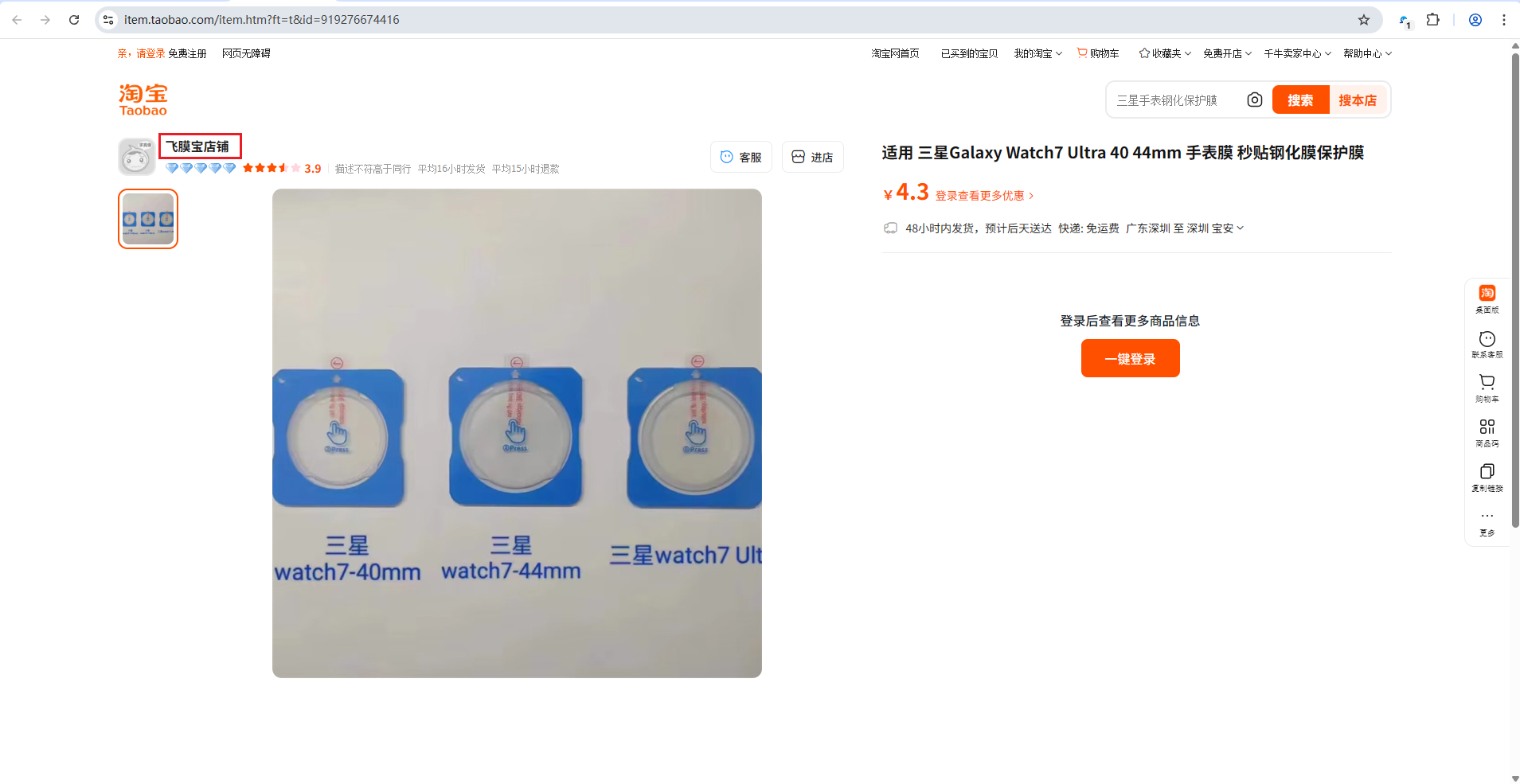
2.实现方式及步骤
使用Reqable抓包工具,抓取符合条件的数据,并借用python脚本实现把数据copy到剪切板
- 打开Reqable(下载网址: https://reqable.com/zh-CN/ ,证书自行按照官方文档安装)
- 进入脚本配置页面
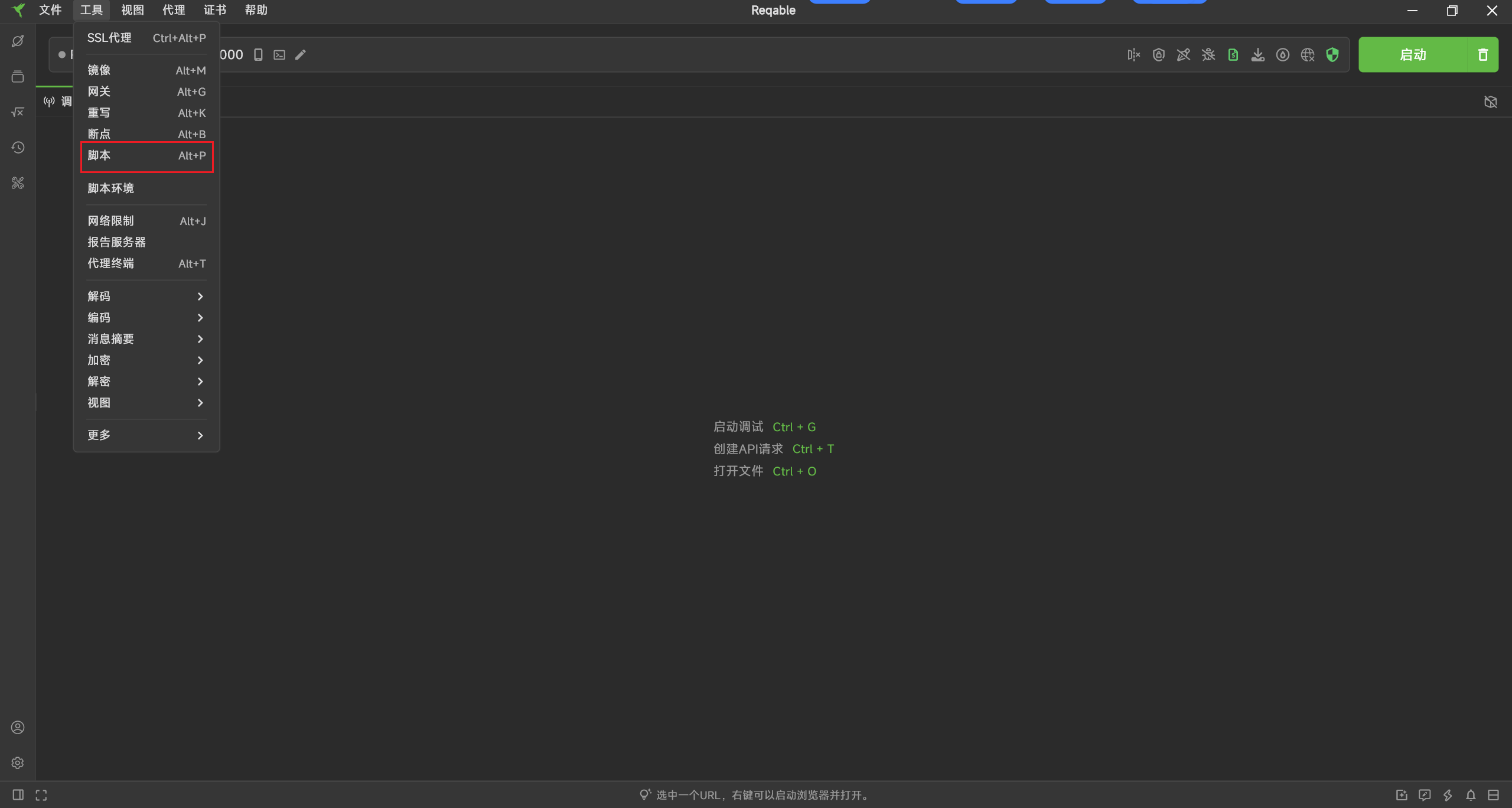
- 新建脚本
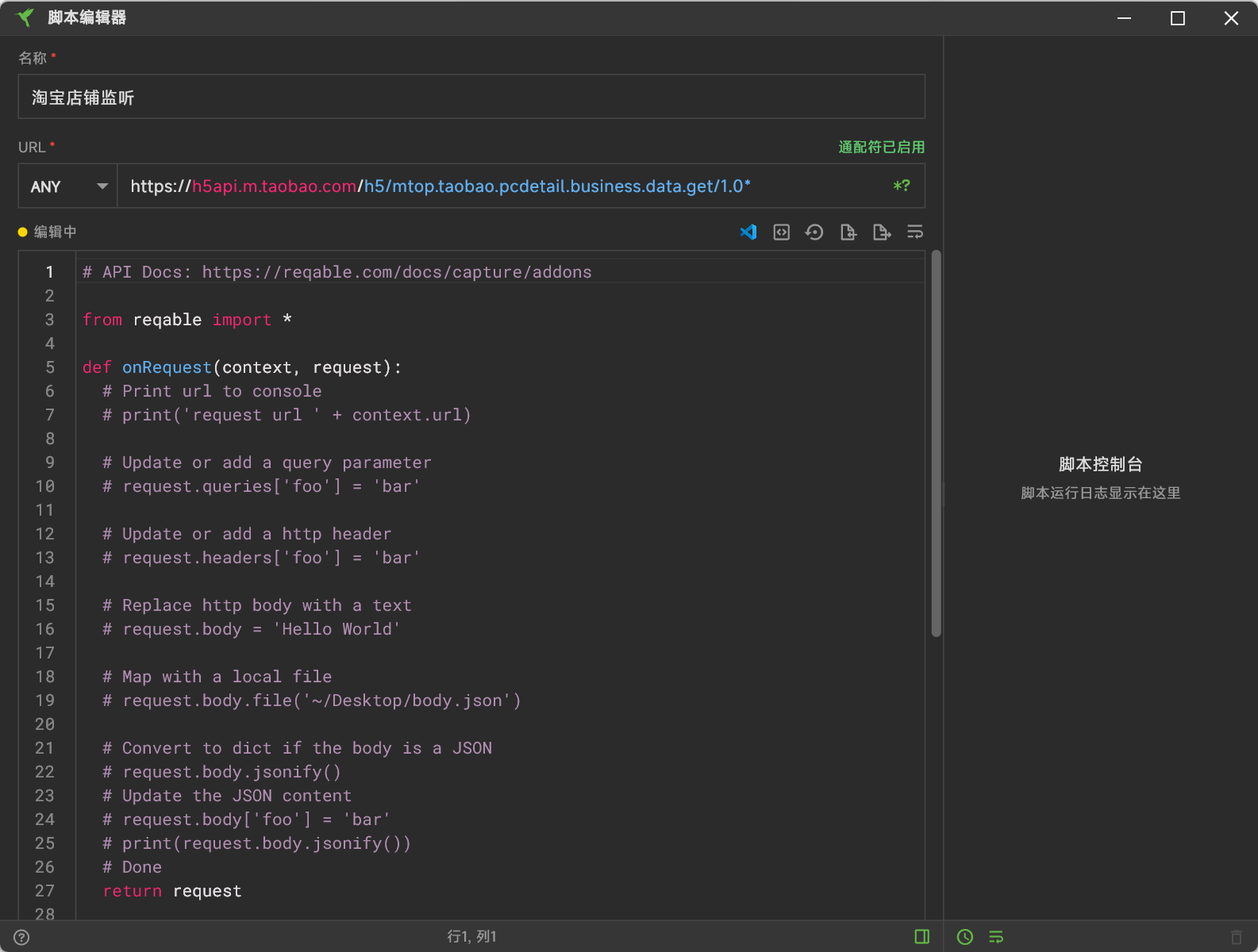
# API Docs: https://reqable.com/docs/capture/addons

from reqable import *

def onRequest(context, request):
  # Print url to console
  # print('request url ' + context.url)

  # Update or add a query parameter
  # request.queries['foo'] = 'bar'

  # Update or add a http header
  # request.headers['foo'] = 'bar'

  # Replace http body with a text
  # request.body = 'Hello World'

  # Map with a local file
  # request.body.file('~/Desktop/body.json')

  # Convert to dict if the body is a JSON
  # request.body.jsonify()
  # Update the JSON content
  # request.body['foo'] = 'bar'
  # print(request.body.jsonify())
  # Done
  return request

def onResponse(context, response):
  # Update status code
  # response.code = 404

  # APIs are same as `onRequest`

  # Done
  import pyperclip
  import re
  # 匹配shopName的值
  pattern = r'"shopName":"([^"]+)"'
  match = re.search(pattern, str(response.body))
  if match:
    shop_name = match.group(1)
    print(f"店铺名称: {shop_name}")
    pyperclip.copy(shop_name)  # 复制到剪切板
    print("已复制到剪切板!")
  return response
- 然后保存
- 记得导入脚本的环境,也就是本地的一个python环境
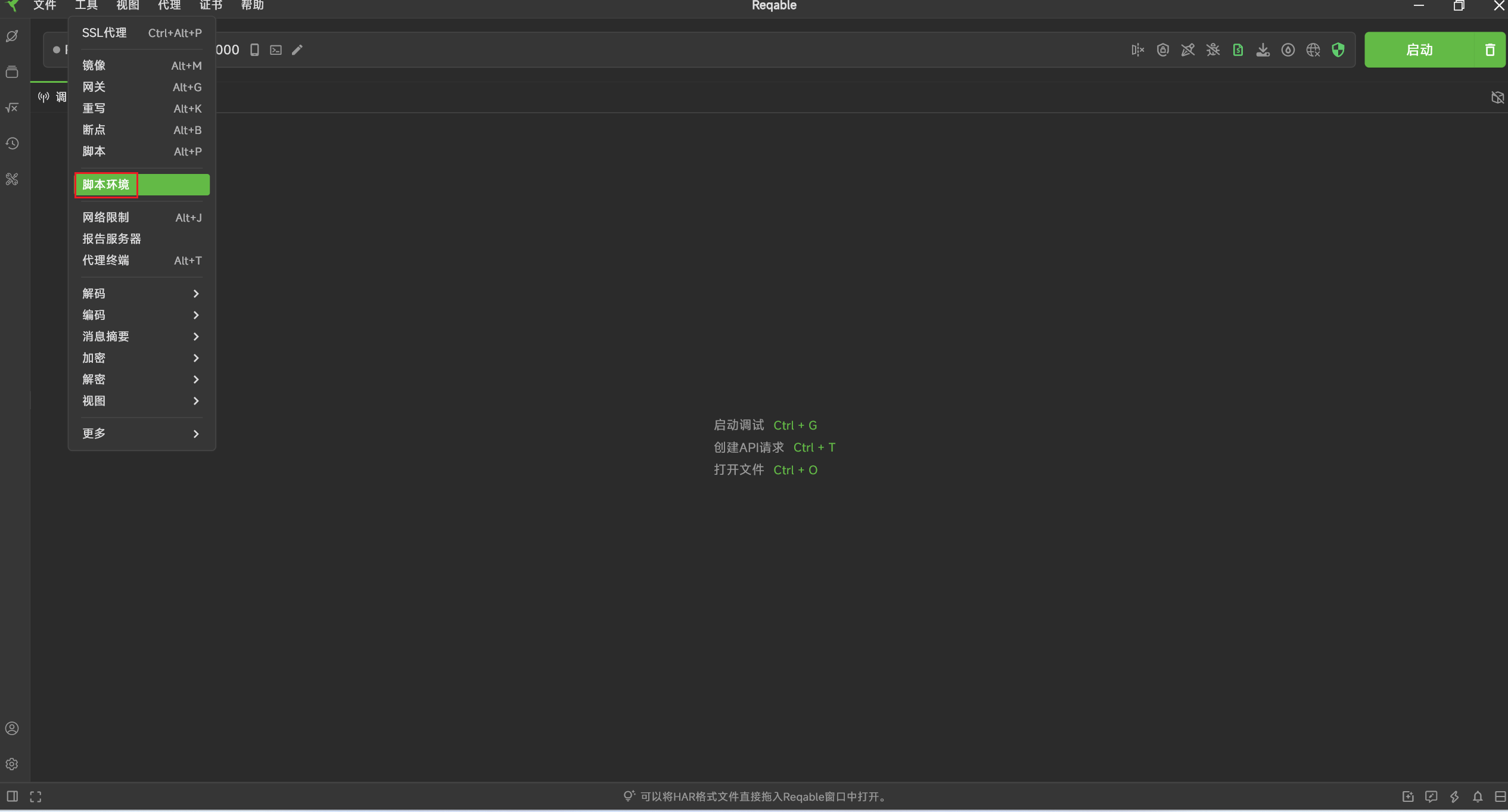
- 这个python环境必须安装pyperclip这个包,用于把文本copy到剪切板的
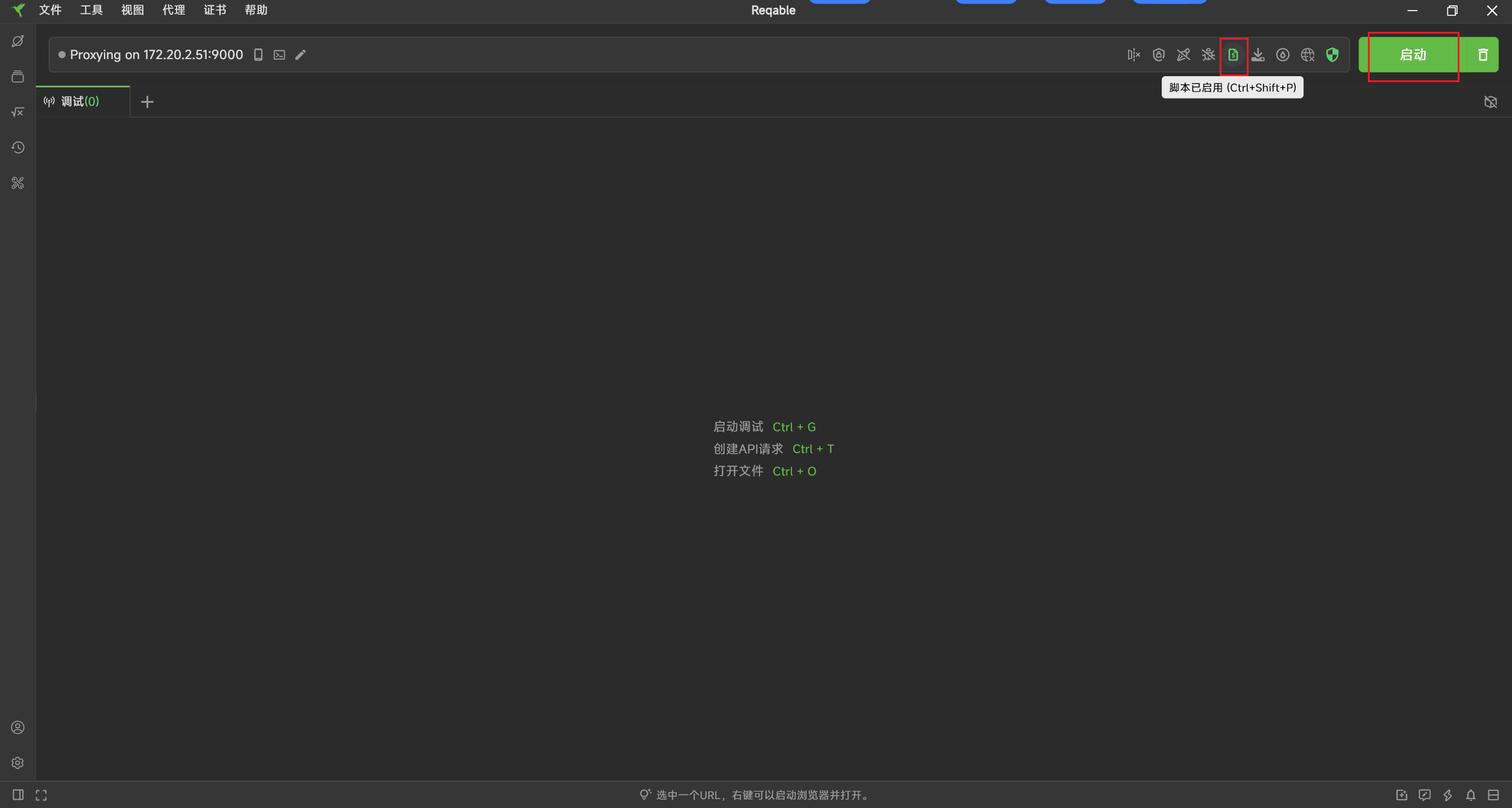
- 然后就可以启动抓包工具,记得点亮python脚本
- 启动后无论打开千牛的桌面版,还是在不同的浏览器,都能够监听并抓取到该数据
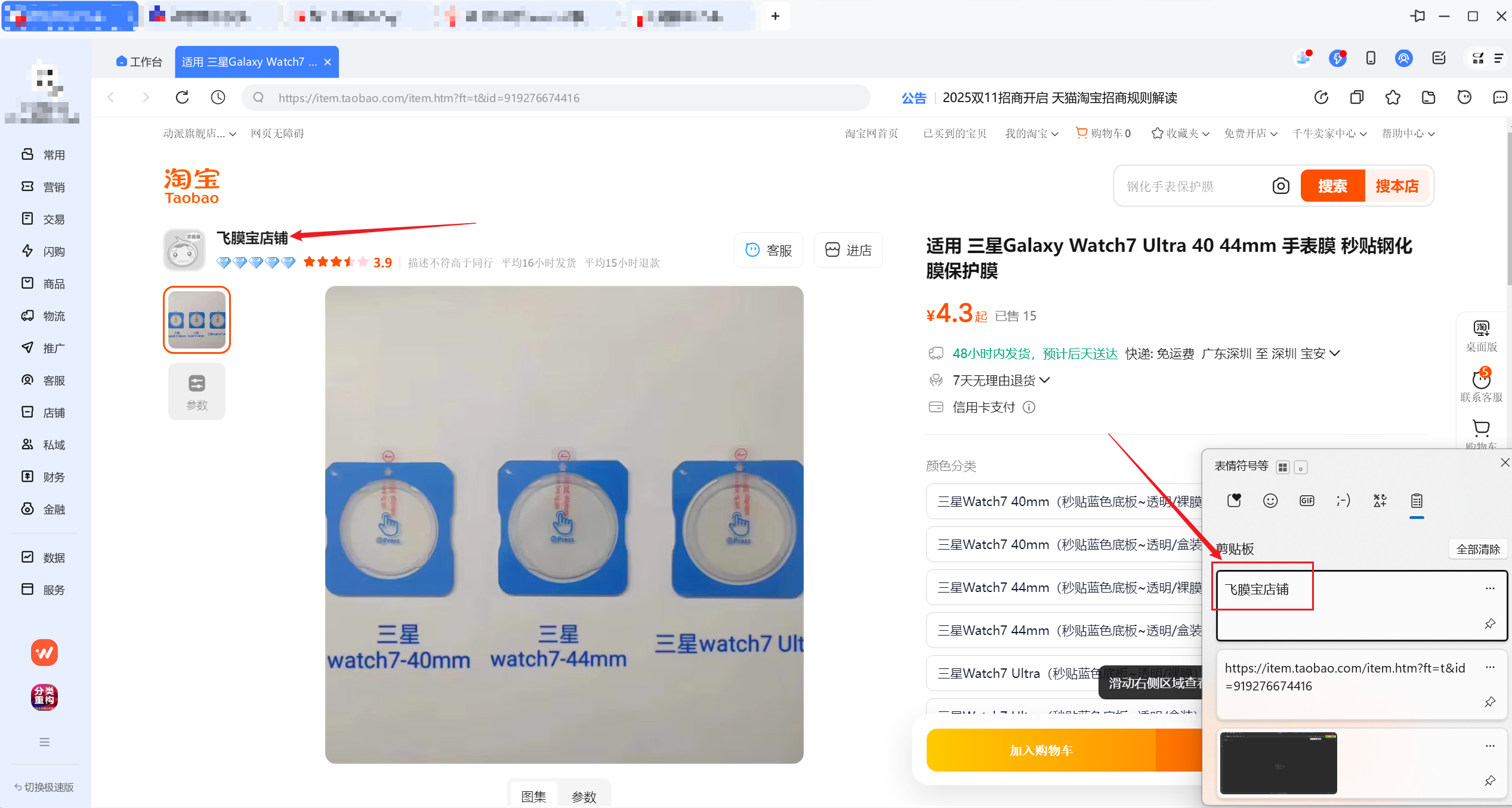
总结:以上,就是一个简单的demo,用处就是辅助运营,在查看竞争对手的链接时,能快速获取其店铺,并登记数据到其本职工作中的表格中。该demo可以拓展到其他业务中,如:(1)影刀+Reqable+python实现市场数据的抓取,影刀负责跳转网页或自动化操作,Reqable+python实现抓包及数据清洗并入库(2)到手价抓取及入库(3)指纹浏览器实现多账号抓取,只需抓取符合要求的api即可。等等......
声明:本文章中所有内容仅供学习交流使用,不用于其他任何目的,严禁用于商业用途和非法用途,否则由此产生的一切后果均与作者无关!
本文章未经许可禁止转载,擅自使用本文讲解的技术而导致的任何意外,作者均不负责。

收藏3全部评论(1)
最新
发布评论
评论


