收藏
收藏应用设计:循环电脑微信多开:微信多开批量加好友+发消息——by.北方区平平无奇组织
ps:电脑微信多开方式,先退出电脑微信,连续多次点击微信图标,出现多个微信登录窗口,进行微信登录即可
要求:登录多个微信后,最小化即可(注意不能直接X掉微信窗口)
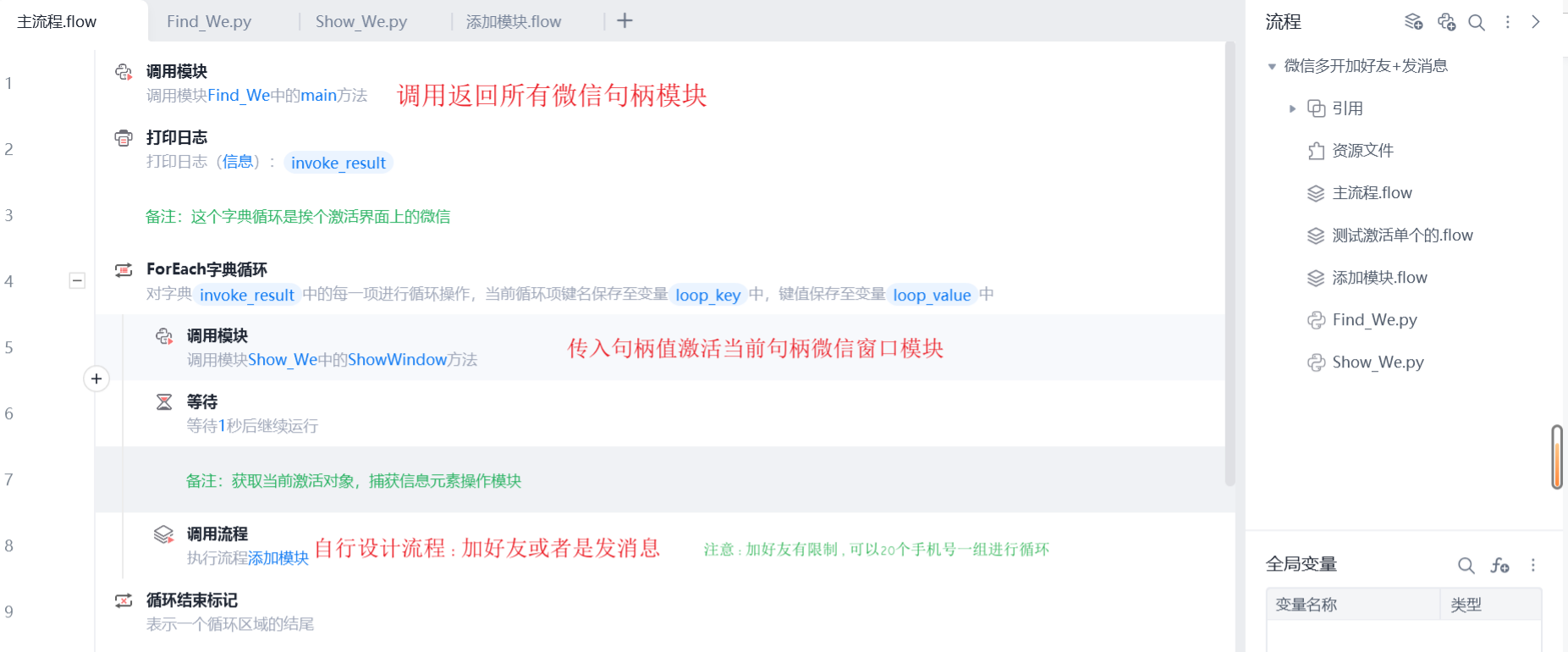
代码
import win32gui
import win32con
# win32gui, win32con
# 调用win32获取电脑上所有的窗口句柄
# 返回所有微信窗口的句柄,并组成字典,形式{微信0:xxxx}
hwnd_all = {}
target = {}
def get_all_hwnd(hwnd,mouse):
if(win32gui.IsWindow(hwnd)) and win32gui.IsWindowVisible(hwnd):
a = win32gui.GetWindowText(hwnd)
for i in hwnd_all.keys():
if i == a:
a = win32gui.GetWindowText(hwnd)+i
hwnd_all.update({a:hwnd})
def Find_wechat(hwnd_all):
target = hwnd_all.copy()
for h in hwnd_all.keys():
if "微信" in h:
continue
else:
del[target[h]]
return target
def main():
win32gui.EnumWindows(get_all_hwnd,0)
print(hwnd_all)
r = Find_wechat(hwnd_all)
x = r.copy()
for h in r.keys():
s = win32gui.GetClassName(r[h])
if s != 'WeChatMainWndForPC':
del[x[h]]
a = 0
c = {}
for i in x.keys():
c.update({"微信"+str(a):x[i]})
a = a+1
return c
模块二:Show_We.py
import win32con
import win32gui
# 传入上面字典的句柄值,让当前窗口激活显示在电脑界面上后,正常捕获做操作即可
def ShowWindow(hwnd):
a = win32gui.ShowWindow(hwnd,win32con.SW_SHOWNORMAL)
win32gui.SetWindowPos( hwnd,win32con.HWND_TOPMOST, 0,0,0,0,win32con.SWP_NOMOVE);
win32gui.SetWindowPos( hwnd,win32con.HWND_NOTOPMOST, 0,0,0,0,win32con.SWP_NOMOVE);
win32gui.SetForegroundWindow( hwnd )
def main(args):
pass
收藏6