Excel实现伪图片嵌入单元格 收藏
收藏
评论
收藏Excel实现伪图片嵌入单元格
果
2024-08-27 20:52·浏览量:1718
果
果冻
问题背景
前段时间碰到客户需求,需要在Excel单元格中嵌入图片,影刀有WPS表格嵌入图片的指令,但Excel只有单元格填充图片,图片无法随单元格改变大小,不满足客户需求。客户公司又规定只能使用Excel不能使用WPS,所以只能自己实现以下。
解决思路
我的想法是使用VBA指令实现插入图片效果。在插入图片前获取单元格的宽高,并根据单元格的大小等比例缩放图片,在将图片居中放置在单元格上,实现图片伪嵌入单元格。
这时会出现一个新的问题,VBA怎么知道我们要插入什么图片?这里我使用的方法是VBA脚本读取单元格的内容,如果单元格内容是以 ”插入图片:“ 开头则表示需要插入图片,同时 ”插入图片:“ 后面的内容为图片的路径,例如 ”插入图片:C:\Users\guodong\Desktop\图片1.png“ VBA就会将 “C:\Users\guodong\Desktop\图片1.png” 该文件插入插入单元格中。
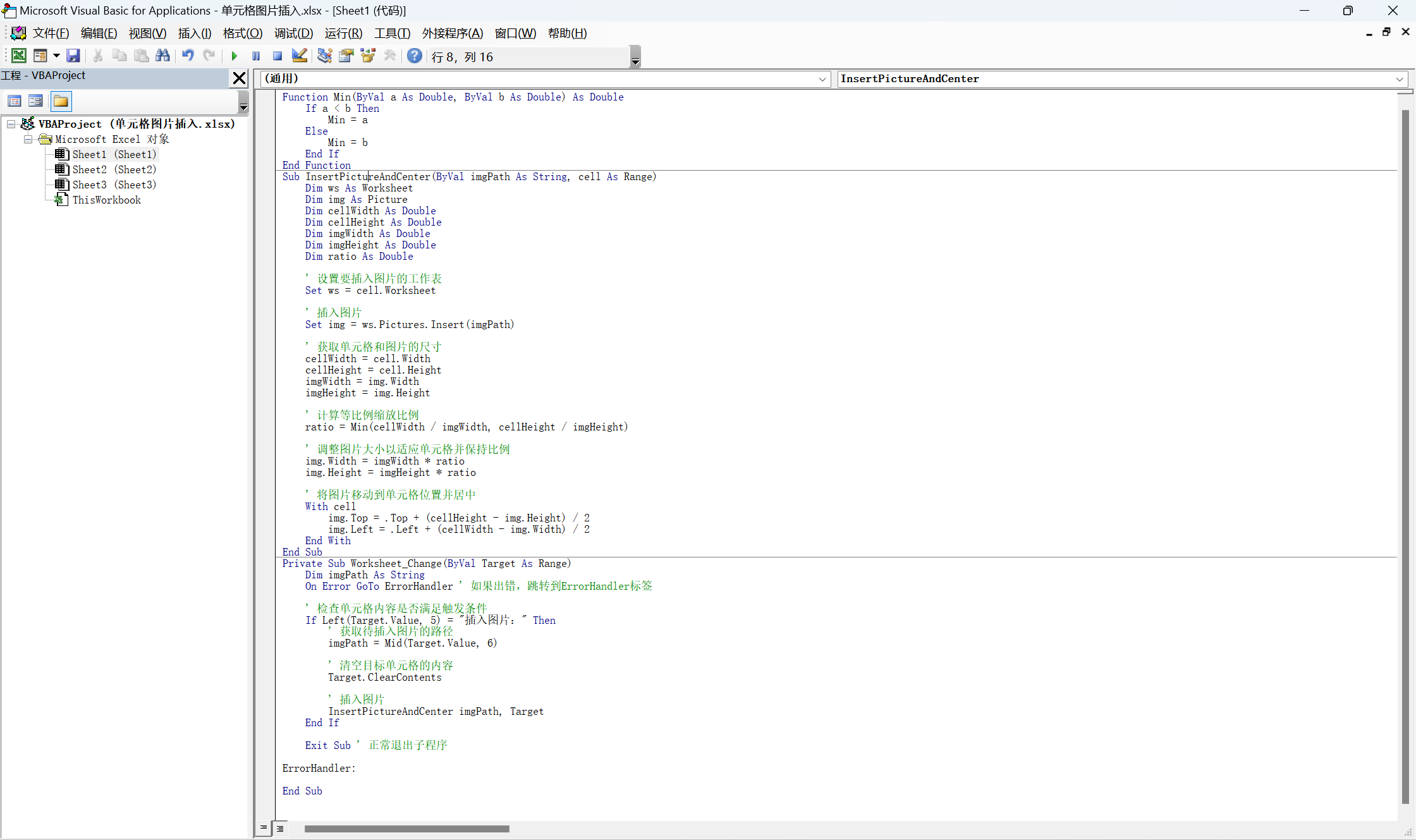
VBA代码如下
Function Min(ByVal a As Double, ByVal b As Double) As Double
    If a < b Then
        Min = a
    Else
        Min = b
    End If
End Function
Sub InsertPictureAndCenter(ByVal imgPath As String, cell As Range)
    Dim ws As Worksheet
    Dim img As Picture
    Dim cellWidth As Double
    Dim cellHeight As Double
    Dim imgWidth As Double
    Dim imgHeight As Double
    Dim ratio As Double

    ' 设置要插入图片的工作表
    Set ws = cell.Worksheet

    ' 插入图片
    Set img = ws.Pictures.Insert(imgPath)

    ' 获取单元格和图片的尺寸
    cellWidth = cell.Width
    cellHeight = cell.Height
    imgWidth = img.Width
    imgHeight = img.Height

    ' 计算等比例缩放比例
    ratio = Min(cellWidth / imgWidth, cellHeight / imgHeight)

    ' 调整图片大小以适应单元格并保持比例
    img.Width = imgWidth * ratio
    img.Height = imgHeight * ratio

    ' 将图片移动到单元格位置并居中
    With cell
        img.Top = .Top + (cellHeight - img.Height) / 2
        img.Left = .Left + (cellWidth - img.Width) / 2
    End With
End Sub
Private Sub Worksheet_Change(ByVal Target As Range)
    Dim imgPath As String
    On Error GoTo ErrorHandler ' 如果出错,跳转到ErrorHandler标签

    ' 检查单元格内容是否满足触发条件
    If Left(Target.Value, 5) = "插入图片:" Then
        ' 获取待插入图片的路径
        imgPath = Mid(Target.Value, 6)
        ' 清空目标单元格的内容
        Target.ClearContents
        ' 插入图片
        InsertPictureAndCenter imgPath, Target
    End If
    Exit Sub ' 正常退出子程序
ErrorHandler:
End Sub
使用方式
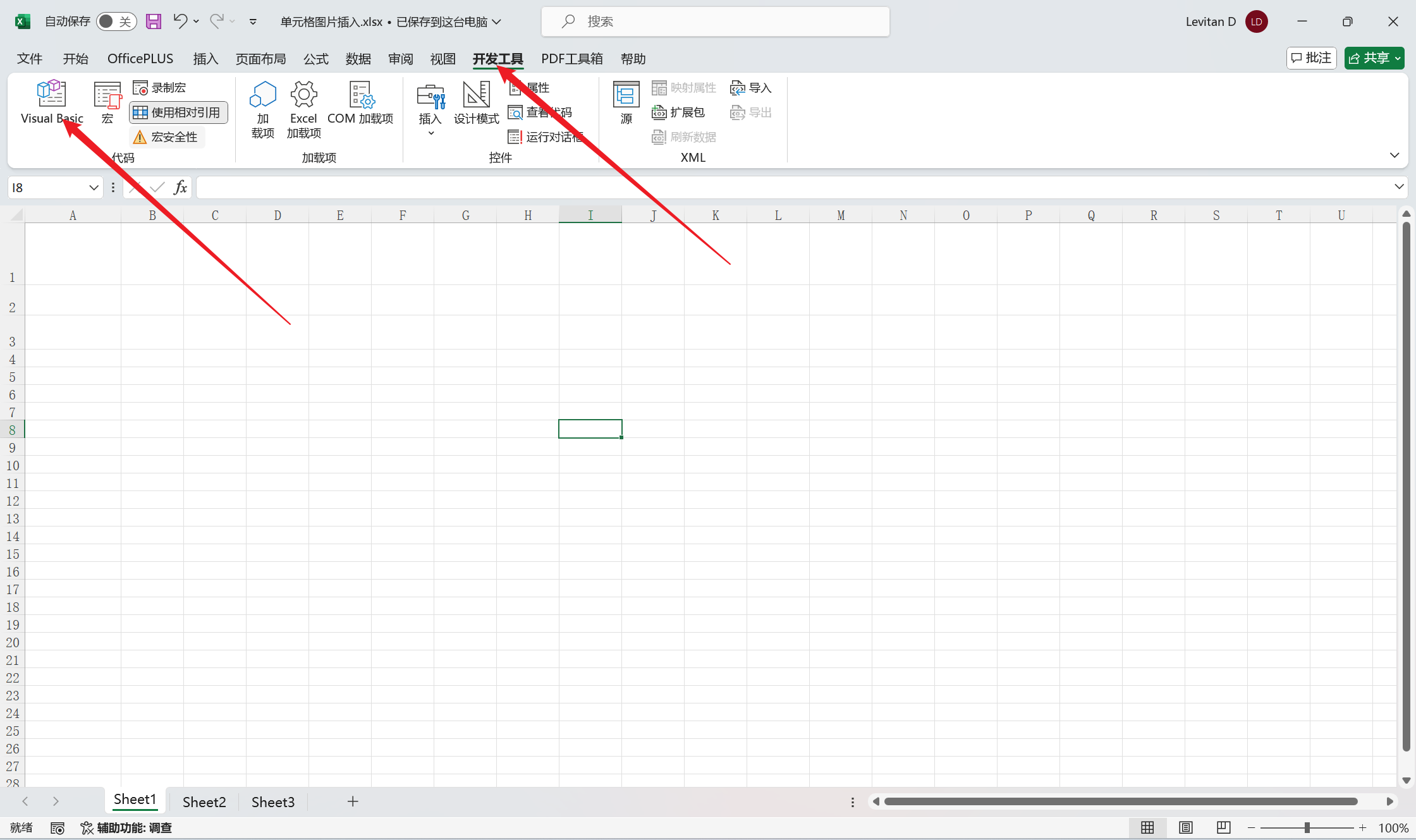
设置复制VBA脚本到Excel文件中,如下图所示,打开脚本编辑器,将VBA代码复制到需要插入图片的Sheet页中,按 Ctrl+s 保存脚本。
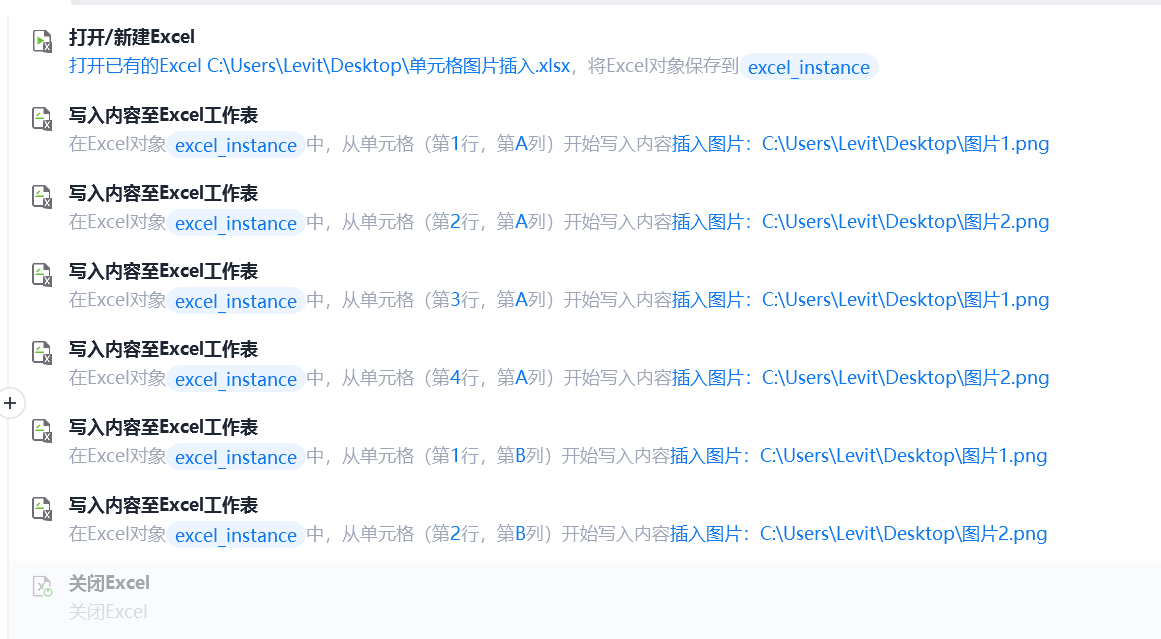
使用影刀向Excel单元格中写入 “插入图片:+ 图片地址” ,效果如下图:
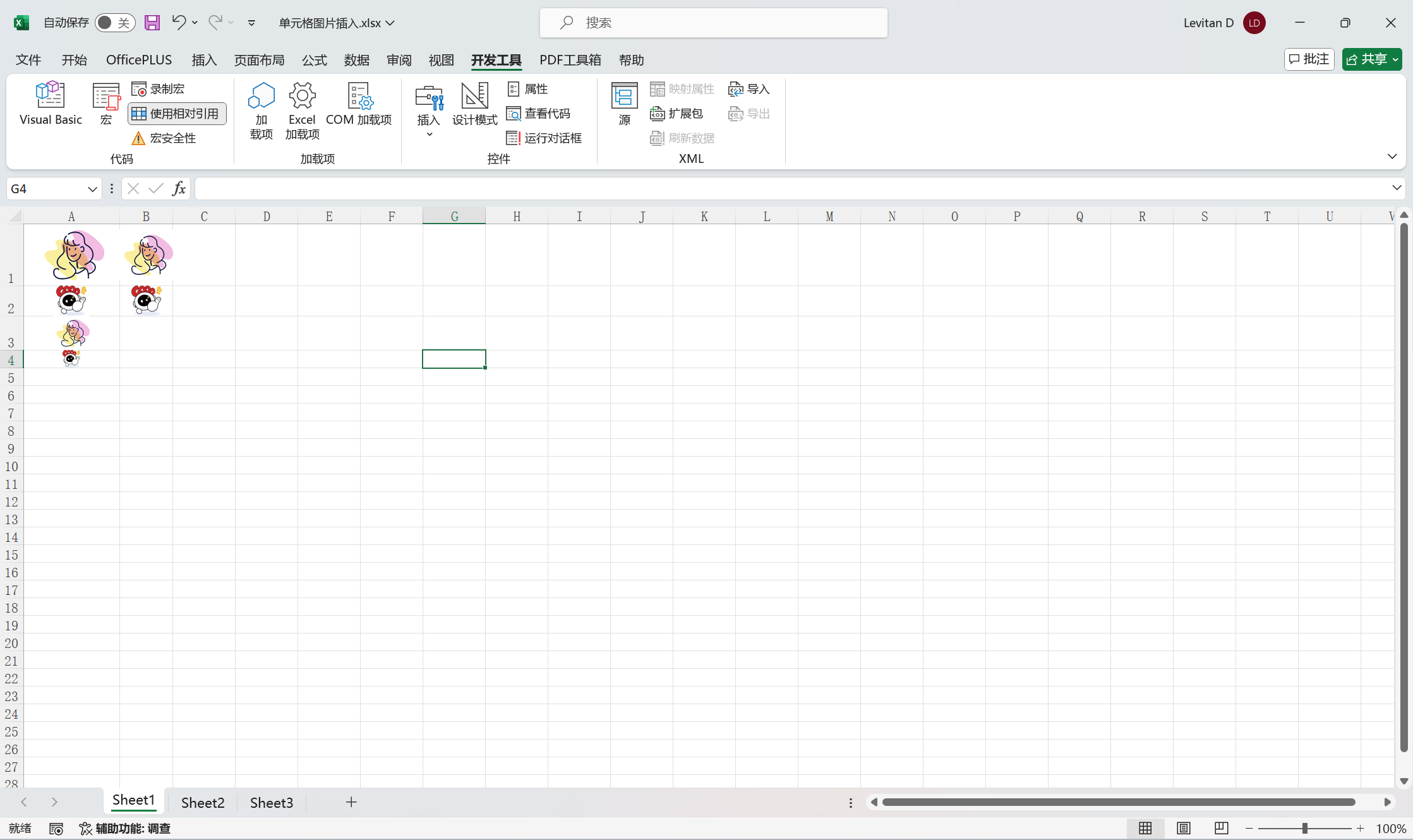
注意:这个方法插入的图片也是悬浮在Excel表格上的,并不是WPS表格中的嵌入到单元格中。但是这个方法的最终效果还可以,而且速度很快,比WPS嵌入图片指令快的多。
收藏3全部评论(1)
最新
发布评论
评论


